Behind Toonkit
Toonkit BTS ep.1: Start templates
 Team ToonkitViews —


Hello! The star of our very first Behind Toonkit story is the ‘Start Template’.
An Easier Way to Begin: Start Templates
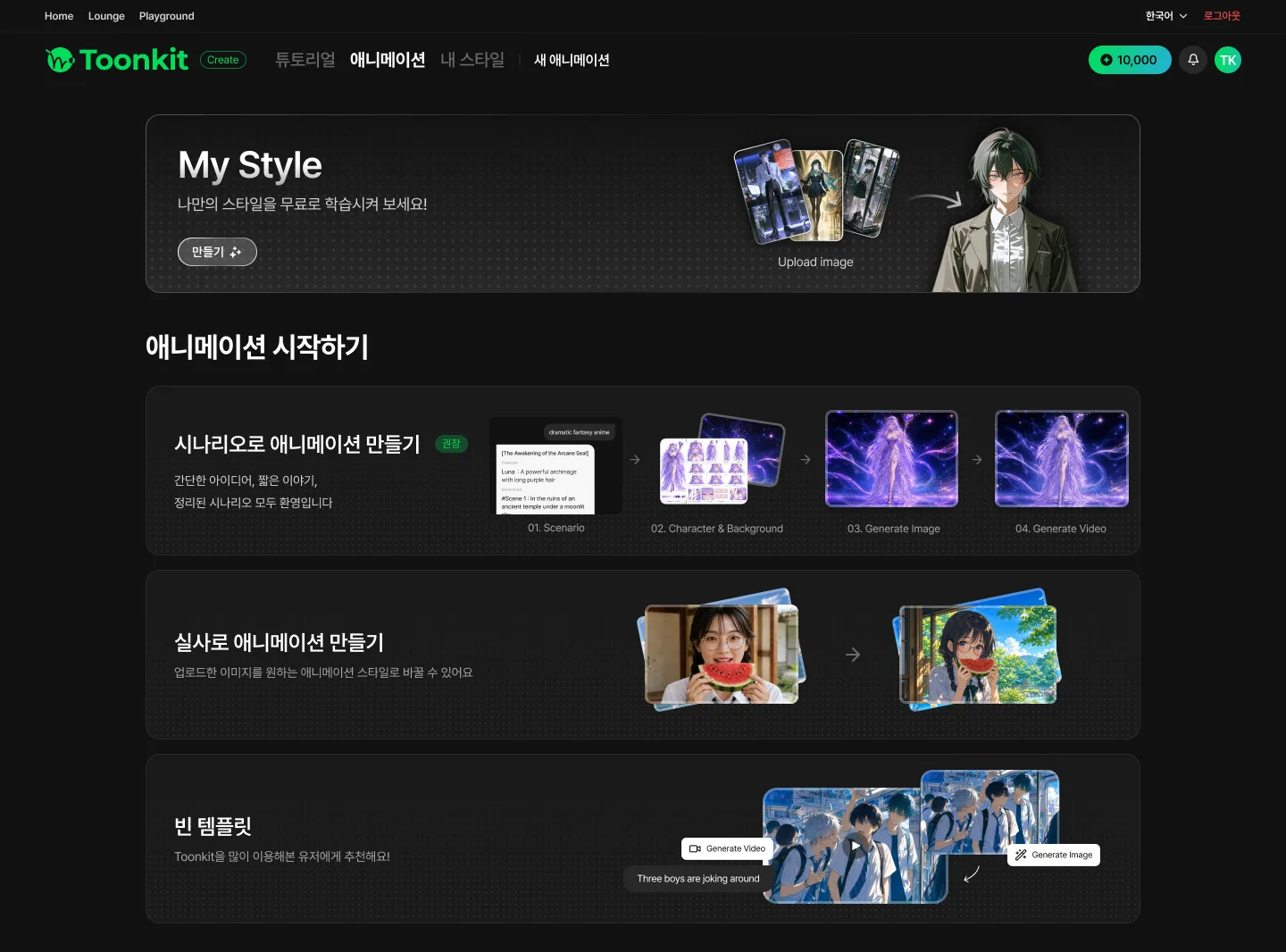
When you create a new animation in Toonkit, the first screen you see is the Start Template screen. Here, you choose how you want to build your animation — from a scenario, from live-action footage, or from a blank template that gives you complete freedom. Each template guides you through the essential steps of making an animation, helping you get from idea to finished piece quickly and easily.
"So... What Do I Do First?"
Before Start Templates existed, users who created a new animation were dropped straight onto an empty scenario page. There were CTAs that moved you to the next step once you finished each stage — Write Scenario → Create Characters & Backgrounds → Cuts — but the creation process never really felt like it flowed. Users certainly had the freedom to jump between tabs and start wherever they wanted, whether that was writing a scenario or generating characters first. But that same freedom meant many users had no idea what to do — or what to do first — and could easily end up lost and confused.
Splitting Our Users in Two
Based on user interviews and in-app data, we identified two major groups: Story users, who create original works built around a narrative, and Stylization users, who primarily turn existing works or live-action footage into animation.
For Story users, we designed a template that makes it easy to go from an original story to everything an animation needs — characters, backgrounds, and more. For Stylization users, we built a template where they can bulk-upload the images they want to transform, pick an animation style, and apply it to everything at once.
And of course, for users who still want the freedom of the original open-ended workflow, we added an unrestricted blank template as well.
And Now...?
Since introducing templates, related customer support inquiries have dropped by more than 50%, and the rate of new users creating their first image after signing up has improved significantly. Best of all, the drop-off rate on the template selection page fell to as low as under 20%.
It was a chance to see firsthand that sometimes, a reasonable number of well-chosen options gets users moving far more actively than unlimited freedom does.
Wrapping Up
To kick off this series, we wanted to start with the feature that starts everything in Toonkit — the Start Template. What did you think?
As it happens, a brand-new template launched just today: the Canvas template.
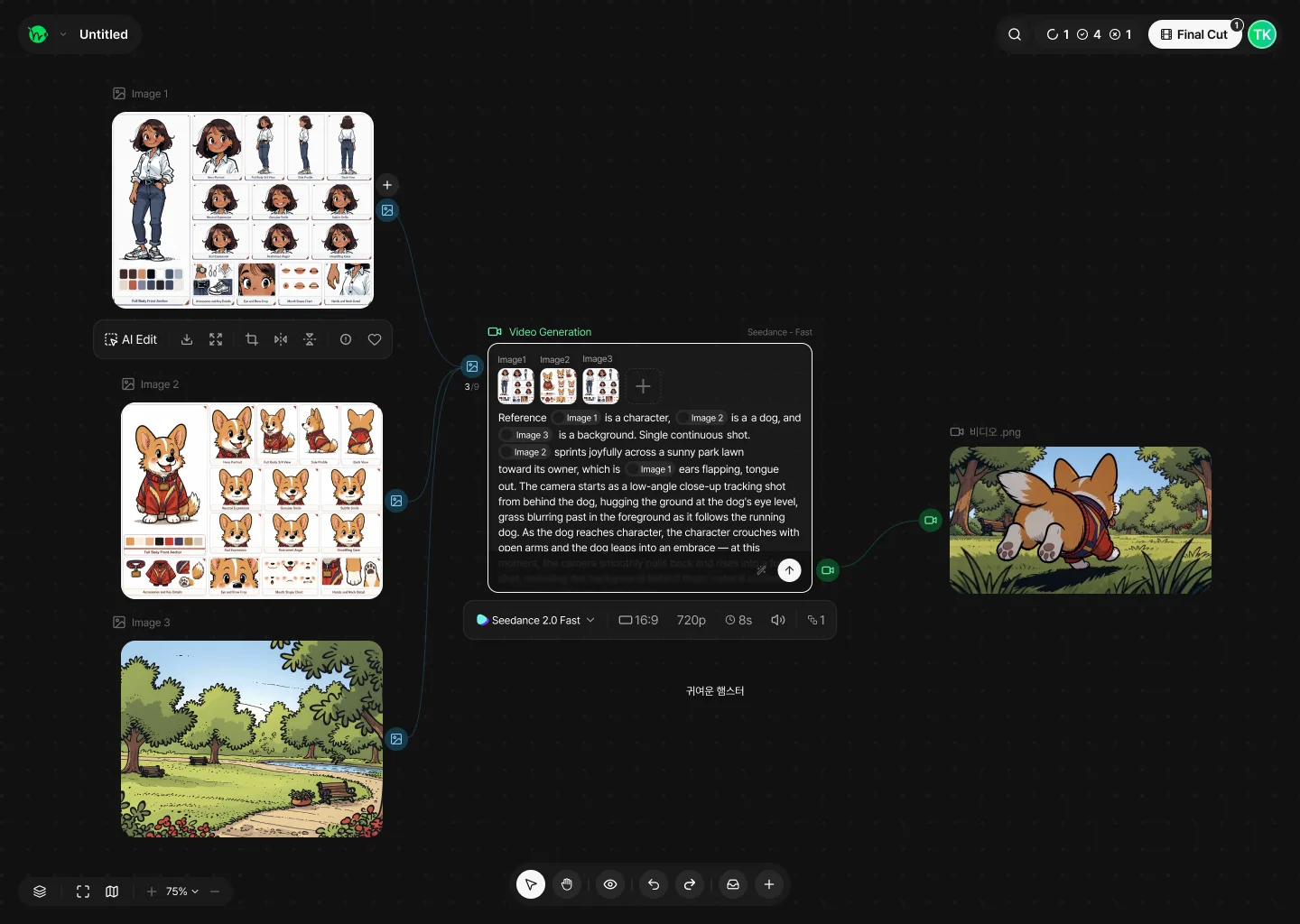
With the Canvas template, you can generate animations by freely connecting elements as nodes on an open canvas. We'll be back soon with the full story behind it.
Until next time — bye! 👋
Was this article helpful?
Your feedback helps us create our next article.
More to read
View all›
Do You Really Have to Be at Your Desk to Start with Toonkit?
Many people visit Toonkit on mobile, but far fewer go on to create than on desktop. Our PM explains why we redesigned the mobile UI/UX around Playground and generation instead of shrinking the desktop experience.
Team Toonkit
Toonkit BTS ep.2: Sample Assets
Behind Toonkit ep.2 introduces Sample Assets: hundreds of free character and background presets that teach users what a good reference image looks like and let them build characters without spending credits.
Team Toonkit
Toonkit BTS ep.0: The start of retrospectives
The opening episode of Toonkit's behind-the-scenes retrospective series, launched six months after release, using the blog feature as an example of why and how each update came to be.
Team Toonkit