Production tips
Create Your Own Style LoRA with ToonKit
 Team ToonkitViews —


Hello, this is the Toonkit development team.
Today, we would like to introduce ways to use Toonkit’s My Style LoRA Training feature more effectively.
To create a good Style LoRA, it is more important to carefully select the images used to build the dataset and configure the training parameters appropriately than simply to prepare a large number of images or increase the training time.
In this article, we will explain everything step by step, from how to build a dataset to the meaning of the main training parameters and basic settings that can help you achieve better results. The guide is written so that even users who are new to Style LoRA training can follow it easily.
The optimal settings may vary depending on the target style and the characteristics of the training data. Therefore, the information below should be treated as a practical starting guide rather than an absolute answer that applies to every situation.
Let us now explore how to build a better dataset and configure training parameters to improve the performance of a Style LoRA.
1. What Is a Style LoRA?
LoRA is a technique that teaches an existing image-generation model additional characteristics.
As an analogy, imagine that the base image-generation model is a person who already knows how to draw. A LoRA is like a small style guide that teaches that person a new visual style or method of expression.
Instead of retraining the entire base model, LoRA trains only the parts required to learn the new characteristics. As a result, it generally requires less time and GPU memory than full-model training.
A Style LoRA is designed to learn the visual style shared across a collection of images rather than memorizing one specific character or object.
A visual style may include elements such as:
- Line thickness and shape
- Shading methods
- Coloring techniques
- Color combinations
- The representation of light and shadow
- The overall mood of the artwork
For example, suppose a Style LoRA is trained using images that resemble 1990s cel animation. A well-trained LoRA should be able to apply similar linework and coloring methods even when generating completely different subjects, such as people, animals, cities, or forests.
In other words, the goal of a Style LoRA is not to reproduce the training images themselves. Its goal is to maintain the target visual style consistently across different subjects and compositions.
The performance of a Style LoRA is mainly affected by two factors:
- How the dataset is constructed
- How the training parameters are configured
In general, dataset quality and composition are more important than training parameters. If the dataset is poorly constructed, adjusting the training steps or learning rate alone is unlikely to produce good results.
2. How to Build a Style LoRA Dataset
2.1 Where Should You Obtain the Training Data?
Images for a Style LoRA can be prepared in several ways:
- Images created by you
- Images whose licenses allow them to be used for training
- Images generated using an image-generation model
- Public datasets
- Images produced through workflows such as ComfyUI
One common method is to download a specific Style LoRA checkpoint from CivitAI and use it in ComfyUI to generate training images. We plan to explain how to create training images with ComfyUI in a separate blog post.
Toonkit’s current My Style LoRA Training feature supports two ways of preparing training data:
- Upload Style: The user uploads images they have prepared and trains a Style LoRA with them. This option is suitable when you already have a collection of consistently styled images generated through tools such as ComfyUI.
- Generate Style: The user generates images in the desired style directly within Toonkit by using the Anima model and text prompts.
This article focuses on the Upload Style method and explains how to construct an effective dataset for Style LoRA training.
2.2 Keep the Style Consistent and the Content Diverse
The most important principle of Style LoRA dataset construction can be summarized in one sentence:
“Keep the visual style consistent while varying the characters, compositions, poses, backgrounds, and other content across the images.”
Style elements that should remain consistent
- Linework
- Coloring method
- Number and structure of shading levels
- Texture
- Shape-simplification method
- Overall visual style
- Color characteristics that belong to the target style
Content elements that should vary
- Characters and objects
- Gender and age
- Hairstyles and outfits
- Facial expressions
- Poses
- Camera views
- Backgrounds
- Time of day
- Weather
- Aspect ratios
For example, suppose every image in a character-focused Style LoRA dataset shows the upper body of a woman facing directly toward the camera. In that case, the LoRA may learn not only the intended visual style but also the following unintended characteristics:
- Always generating women
- Favoring upper-body compositions
- Preferring front-facing faces
- Repeating similar hairstyles
- Repeating similar expressions
In other words, the LoRA may incorrectly treat characters or compositions unrelated to the visual style as part of the style itself. This is called dataset bias.
A good Style LoRA should express the target visual style consistently while still allowing prompts to control different characters, objects, backgrounds, and compositions freely.
2.3 Do Not Mix Multiple Styles in a Single Dataset
 2.3_eng.png
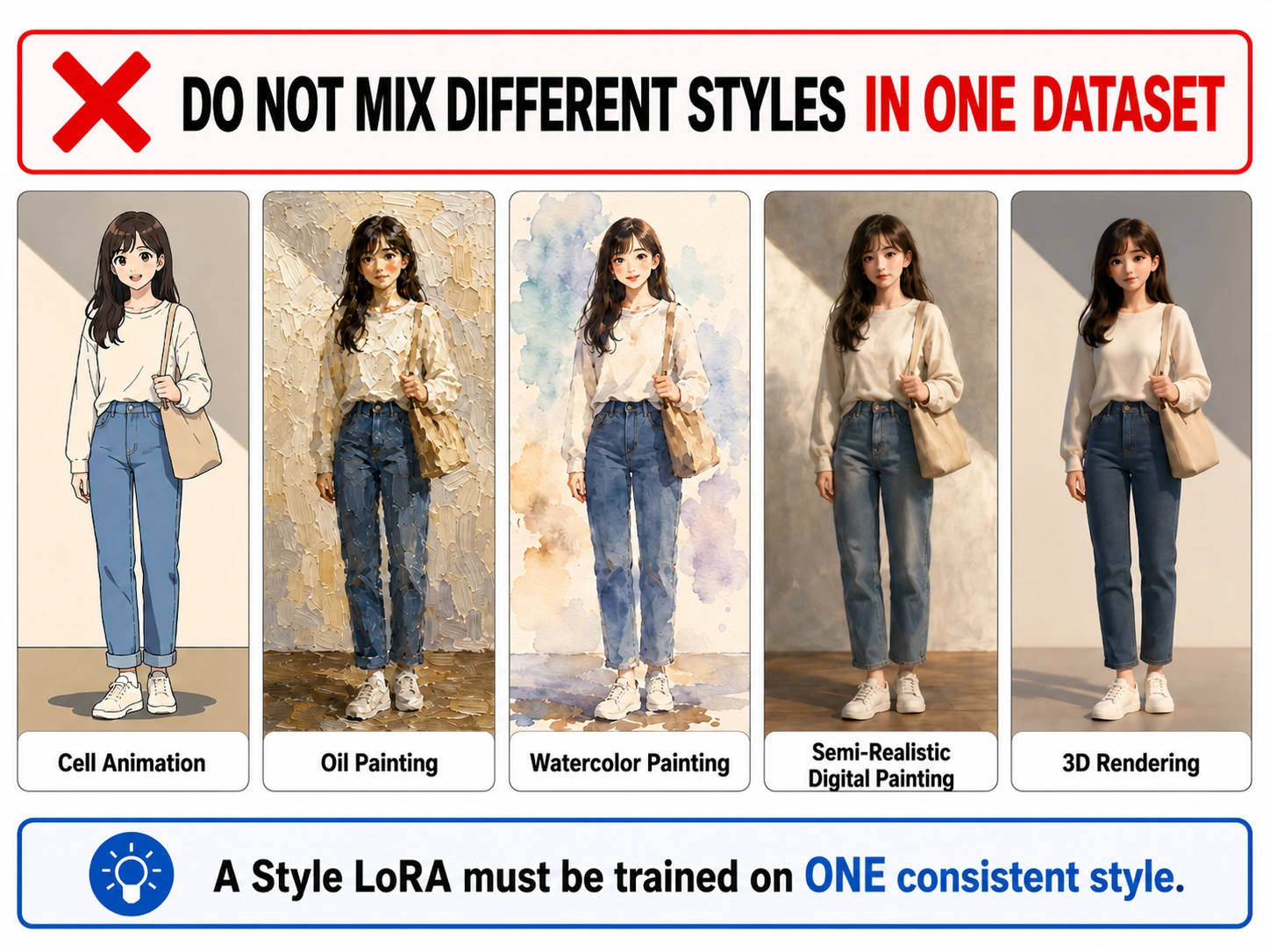
When training a Style LoRA, all images should clearly share the same target style.
For example, mixing the following types of images in one dataset may make training difficult:
- Cel-animation images
- Thick oil paintings
- Watercolor paintings
- Semi-realistic digital paintings
- 3D-rendered images
Even when the images come from multiple artists, the model may struggle to identify the target style if their linework, coloring, textures, and approaches to depicting the human body are not sufficiently similar.
The key principle is:
“First define exactly what you want the model to learn as the style, and then make sure those characteristics remain consistent throughout the dataset.”
2.4 How Should You Organize 20 Training Images?
 2.4_eng.png
Toonkit’s current My Style LoRA Training feature allows users to upload a total of 20 images.
Because the number of images is limited, it is important to carefully examine the quality and diversity of each image rather than simply filling all 20 slots.
The target style should remain consistent across all images, while the characters, poses, compositions, backgrounds, and other content should vary.
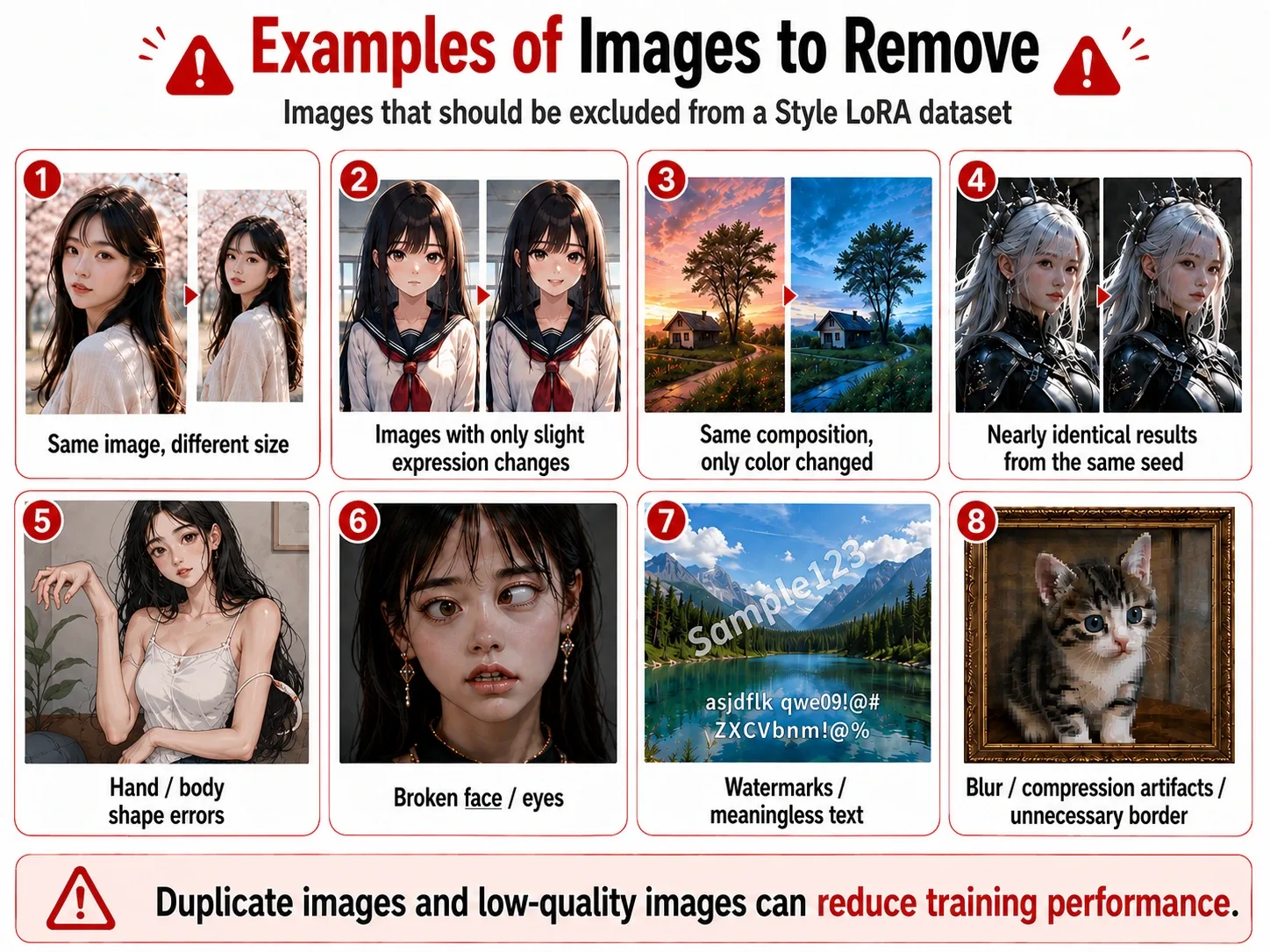
In particular, try to exclude duplicated or overly similar images such as:
- The same image resized to different dimensions
- Images with only slight changes in facial expression
- Images with the same composition and only different colors
- Nearly identical results generated from the same seed
- Repeated images of the same character in the same pose
When the dataset contains too many similar images, the model may incorrectly learn a particular character or composition as part of the style.
Instead of using 20 front-facing upper-body portraits, include a balanced selection of face close-ups, upper-body shots, full-body shots, side views, varied poses, and different backgrounds.
You should also carefully check image quality. A Style LoRA can learn not only the desirable visual style but also any errors present in the training images.
Try to exclude images containing the following problems:
- Incorrect or unnatural fingers and body shapes
- Broken faces or eyes
- Watermarks
- Meaningless or unreadable text
- Severe blurring or pixelation
- Heavy JPEG compression artifacts
- Unnecessary borders
However, intentionally applied effects that belong to the target style, such as film grain or rough printed textures, may be preserved.
The important point is to distinguish between intentional stylistic texture and ordinary image-quality defects.
Ultimately, creating a good Style LoRA with only 20 images requires reducing duplication and errors, maintaining a consistent style, and including diverse content.
2.5 Building a Dataset for a Character-Focused Style LoRA
 2.5.png
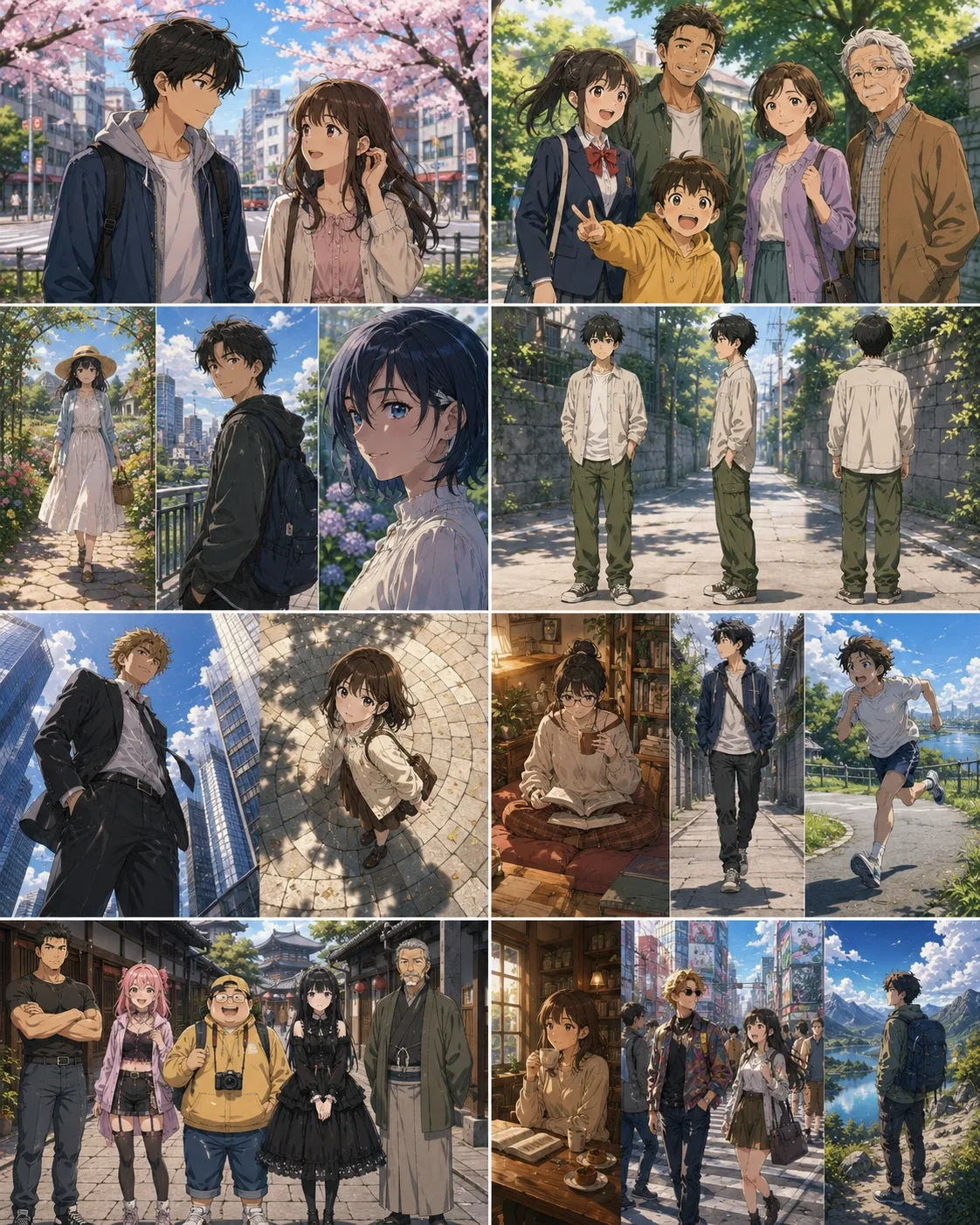
When creating a character-focused Style LoRA, it is better to include characters with a variety of characteristics rather than repeatedly using only one specific character.
For example, the dataset may include:
- Men and women
- Children, young adults, middle-aged adults, and elderly people
- Full-body shots, upper-body shots, and face close-ups
- Front views, side views, and back views
- Low-angle and high-angle shots
- Sitting, walking, and running poses
- Various facial expressions
- Various body types
- Various hairstyles
- Various outfits
- Single-character and multi-character scenes
Even for a character-focused Style LoRA, it is not ideal for every image to show a large character against an empty background.
A Style LoRA learns not only the characters’ faces and outfits but also the colors, textures, lighting, shading, and background-rendering methods visible throughout the entire image.
Therefore, some images should include props, indoor spaces, streets, natural scenery, and other backgrounds that clearly demonstrate the target style.
When a particular face shape or outfit appears too frequently, the LoRA may incorrectly interpret it as part of the style.
2.6 Building a Dataset for a Background-Focused Style LoRA
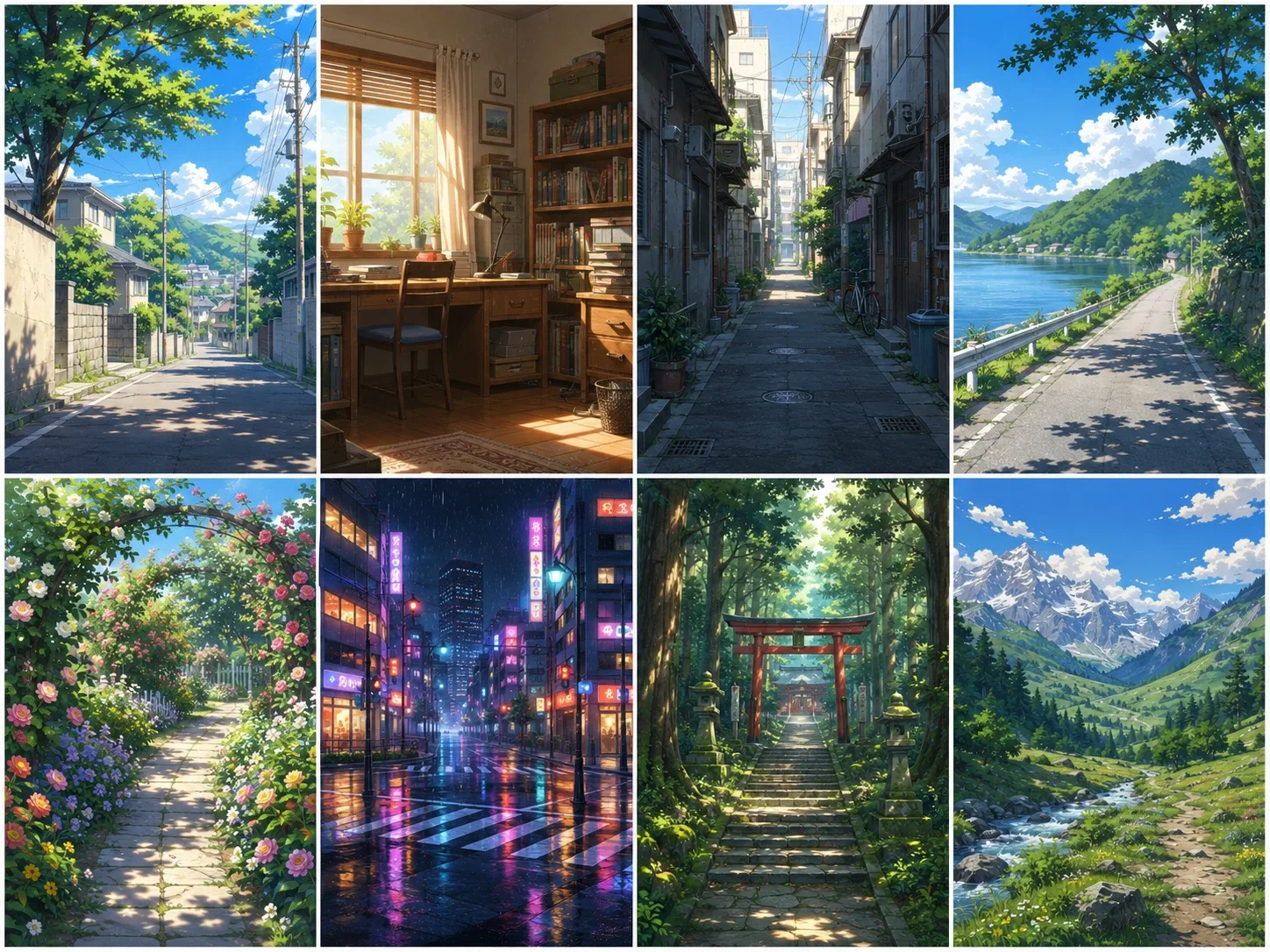 2.6.png
When creating a background-focused Style LoRA, avoid repeatedly using only one location or time of day.
For example, the dataset may contain:
- Natural landscapes
- Forests
- Mountains
- Oceans
- Rural areas
- Alleys
- Large cities
- Building interiors
- Day and night scenes
- Clear and cloudy weather
- Rain and snow
- Wide establishing shots
- Medium-distance shots
- Architectural close-ups
For example, when every image shows a city at night, urban lighting and architectural elements may appear even when the user requests a forest or indoor scene.
2.7 Training Characters and Backgrounds Together
When you want to generate characters and backgrounds in the same visual style, you can include both types of images in the dataset.
When Toonkit allows a total of 20 uploaded images, one possible composition is:
- 10 character images
- 10 background images
The images do not have to be divided equally.
When character generation is more important, you may increase the number of character images. When background generation is more important, you may increase the number of background images.
This ratio is only an example for getting started, not an absolute rule. Adjust the proportions according to your intended use, compare the generated results, and find the dataset composition that works best for your goal.
2.8 How Should Image Resolution and Aspect Ratio Be Prepared?
The resolutions and aspect ratios of the training images should generally reflect the types of images you plan to generate.
When you mainly plan to generate square images, you may prepare a dataset focused on square images.
When you want to generate landscape, portrait, and square images, it is helpful to include a balanced selection of multiple aspect ratios in the training dataset.
However, do not forcibly stretch the width or height of an image, as this may distort its contents.
You should also avoid excessively enlarging low-resolution images, because upscaling them may produce blurred or pixelated results.
There is no single correct answer for image resolution or aspect ratio. The important points are to exclude images that are too small or distorted and to construct the dataset with the intended output sizes and proportions in mind.
3. How to Write Captions for Style LoRA Training
3.1 Why Are Captions Necessary, and How Should They Be Written?
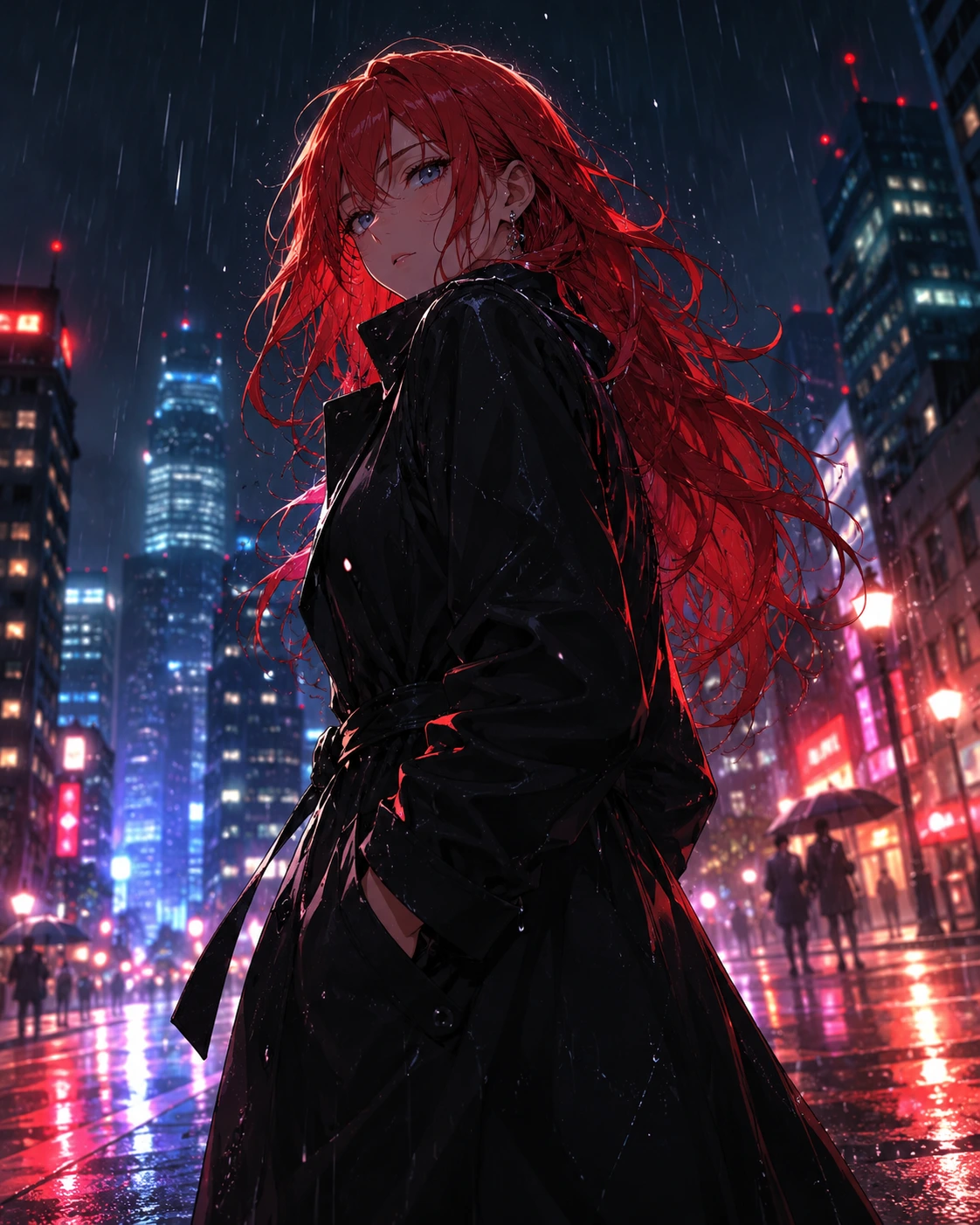 3.1.png
A caption tells the model what is visible in an image.
For example, when an image shows a red-haired woman wearing a black coat in a rainy city at night, the caption may be written as follows:
1girl, red hair, black coat, rainy city, night, low angle
By including the character, outfit, background, and composition in the caption, you help the model distinguish those elements as image content.
When training a Style LoRA, however, it is generally better to exclude descriptions of the visual characteristics that you want the LoRA itself to learn, such as the linework, coloring technique, texture, or color palette.
The basic principle can be summarized as follows:
- Elements written in the caption are learned as image content, while visual characteristics that are absent from the captions but consistently shared across the images are learned as style.
Therefore, avoid words that directly describe the style, such as anime, watercolor, or cinematic.
Instead, sufficiently describe the visible content, including the characters, outfits, backgrounds, time of day, weather, and camera composition.
When captions are too simple, elements unrelated to the intended style—such as black coats, rainy cities, or a specific camera angle—may also be learned as part of the style.
You may optionally add the same trigger word to the beginning of every caption:
tk90cel, 1girl, red hair, black coat, rainy city, night
A trigger word is a unique term used to activate the trained style.
Entering tk90cel in the generation prompt may help apply the Style LoRA’s learned style more clearly.
Use a project-specific trigger word that does not overlap in meaning with an existing word, and include the same trigger word in the captions for every training image.
3.2 Should You Use Tag-Based or Sentence-Based Captions?
Both tag-based and sentence-based captions can be used.
Tag-based example
tk90cel, 1girl, short hair, white jacket, upper body, night city
Tag-based captions are useful for listing visible image elements concisely.
Sentence-based example
tk90cel, a young woman with short hair wearing a white jacket stands in a city at night.
Sentence-based captions are useful for naturally explaining the character’s actions, the background, and the relationships among multiple elements.
Recent image-generation models are increasingly designed to understand natural-language sentences and complex descriptions.
Unless there is a specific reason to use another format, the Toonkit team recommends sentence-based captions.
Sentence-based captions make it relatively easy for beginners to describe an image in sufficient detail without omitting important content.
However, the results may differ depending on the model and dataset, so it can also be helpful to test both methods.
Whichever method you choose, it is important to keep the caption format consistent throughout the dataset.
3.3 What Should Be Included in Captions?
When applicable, describe the following elements:
- Number of people
- Type of subject
- Gender and age group
- Hairstyle
- Outfit
- Action
- Pose
- Facial expression
- Background
- Time of day
- Weather
- Camera distance
- Camera angle
- Important props
However, you do not need to describe every visible element in excessive detail.
Focus on the elements you may want to change through prompts during generation.
For example, when you want to freely change hairstyles, outfits, expressions, backgrounds, or compositions, those elements should be included in the captions.
4. Style LoRA Training Parameters
The strength of the learned style and the flexibility of the generated results may vary significantly depending on the training parameters.
The following three parameters are especially important:
- Training Steps
- Network Dim, or Rank
- Learning Rate
Depending on the training tool, Network Dim may also be displayed as Rank. The two terms are used to refer to the same concept.
These three parameters do not operate independently. They affect one another.
For example, increasing the Network Dim allows the LoRA to learn a larger amount of information. Therefore, the result may change even when the same learning rate and number of training steps are used.
Rather than adjusting only one value in isolation, it is important to understand the relationship among all three parameters.
4.1 Training Steps
Training Steps indicate how many times the LoRA’s weights are updated during training.
In simple terms, this value determines how many times the LoRA repeatedly studies the dataset.
When the number of steps is too low
- The style is applied weakly.
- Only some aspects of the linework or colors are learned.
- A high LoRA strength is required during generation.
- The characteristics of the training images are not sufficiently reproduced.
A model that has not learned the data sufficiently is said to be underfitted.
When the number of steps is too high
- Compositions similar to the training images are repeatedly generated.
- Specific characters or outfits continue to appear.
- The model does not follow other prompts well.
- Colors become excessively strong.
- Faces and backgrounds may become distorted.
- The style is applied too strongly even at a low LoRA strength.
This condition is called overfitting.
Overfitting occurs when the model memorizes the training data too closely.
Training Steps interact with the Learning Rate. When both the Learning Rate and number of steps are high, overfitting may occur quickly. Therefore, these two values should be adjusted together.
4.2 How Many Training Steps Should You Start With?
Toonkit trains a Style LoRA using a total of 20 images.
For an initial training run with 20 images, you may start within the following ranges:
- Simple style: approximately 1,000–2,000 steps
- General style: approximately 1,500–3,000 steps
- Complex and highly detailed style: approximately 2,500–4,000 steps
These values are not universal answers for every style. They are reference ranges intended to help you begin training.
Even when using the same 20 images, the appropriate number of steps may vary depending on the complexity of the style, the quality of the images, the Learning Rate, and other settings.
When possible, save and compare checkpoints from several intermediate stages rather than evaluating only the final checkpoint.
For example:
- 1,000 steps
- 1,500 steps
- 2,000 steps
- 2,500 steps
- 3,000 steps
Testing the LoRA from each stage with the same prompt and seed makes it easier to identify the point at which the style is sufficiently learned without becoming overfitted.
A higher number of steps does not automatically produce a better result.
After the style has been learned sufficiently, additional training may cause the LoRA to memorize specific characters, outfits, or compositions. This is why comparing results from multiple training stages is important.
4.3 Rank
Rank determines how much information the LoRA can use to represent the characteristics of the style.
In Toonkit’s My Style LoRA Training feature, Rank is displayed as Network Dim. The name is different, but the meaning is the same.
A simple analogy is to think of Rank as the size of the notebook in which the LoRA records the style.
When the notebook is too small, it may not have enough capacity to record the style’s different characteristics, including linework, color, and texture.
When the notebook is too large, it may memorize not only the style but also unnecessary details such as specific characters, outfits, and backgrounds.
Therefore, a higher Rank is not always better. It should be selected according to the complexity of the target style.
You can begin with the following values:
- Rank 8: A simple style or a lightweight test
- Rank 16: A good starting value for a general Style LoRA
- Rank 32: A complex style with substantial texture and detail
For an initial training run, we recommend starting with Rank 16.
When the learned style is not expressive enough, increase it to Rank 32 and compare the results.
Because Toonkit limits the training dataset to 20 images, it is generally better to test within Rank 16 or 32 rather than using an excessively high Rank from the beginning.
4.4 Learning Rate
The Learning Rate determines how strongly new information is applied during each training update.
When the value is too high, the model may learn the style quickly, but the colors and textures may become excessively strong or the generated images may become unstable.
The model may also overlearn certain characteristics, resulting in overfitting and reduced prompt adherence.
When the value is too low, training becomes slower and the style may still be applied weakly after training is complete.
Beginners may use the following values as starting points:
5e-5: A relatively stable training value1e-4: A generally useful starting value2e-4: Learns quickly but requires careful monitoring for overfitting
We recommend starting with 5e-5 or 1e-4 and adjusting the value after comparing the results.
Be especially careful with a high Learning Rate when the dataset is small or when the number of Training Steps is high, because overfitting may occur more quickly.
5. Conclusion: Which Is More Important, the Data or the Parameters?
To create a good Style LoRA, check the following elements in order:
- High-quality images that clearly demonstrate the target style
- Diverse characters, compositions, and backgrounds
- Captions that accurately describe the image content
- Appropriate Training Steps and Learning Rate
- A Network Dim suited to the complexity of the style
- Direct comparison of generated results from different training settings
When the results are unsatisfactory, it is easy to begin by changing parameters such as Training Steps or Network Dim.
However, when the dataset contains the following problems, adjusting parameters alone is unlikely to solve them:
- The visual style differs from image to image.
- Similar compositions are repeated.
- One particular character or outfit appears too frequently.
- Captions do not accurately describe the image contents.
- Blurry or low-quality images are included.
- The dataset contains watermarks, body-shape errors, or similar defects.
Ultimately, the most important distinction in Style LoRA training is:
“Which characteristics should the model learn as style, and which characteristics should remain controllable through prompts?”
For example, linework, coloring methods, and textures should be learned by the Style LoRA.
By contrast, a character’s hairstyle, outfit, pose, and background should remain changeable through prompts during generation.
When the dataset and captions are constructed according to this principle, you can create a Style LoRA that expresses the target visual style consistently across different characters and backgrounds instead of merely reproducing the training images.
Above all, remember that dataset quality and composition usually have a greater effect on the final result than the training parameters.
6. Closing
In this article, we explored how to construct a dataset and configure the main training parameters to improve the performance of a Style LoRA.
Rather than trying to achieve a perfect result from the first training run, begin with the guidelines introduced here. Then compare generated results and gradually adjust the image composition and training parameters.
Even with the same settings, the results may differ according to the target style and training data. Testing several configurations and finding the settings that best match your goals is an important part of the process.
Use Toonkit’s My Style LoRA Training feature to create your own unique visual style.
In the next article, we will provide an easy and detailed explanation of how to prepare Style LoRA training images with ComfyUI.
Was this article helpful?
Your feedback helps us create our next article.
More to read
View all ›
Finding Your Style with ComfyUI, Then Locking It In with Toonkit
A guide to finding an art style in ComfyUI and locking it in with Toonkit's My Style LoRA training—covering CivitAI basics, reading workflows, stacking LoRAs, and upscaling to build a consistent 20-image style set.
Team Toonkit101 views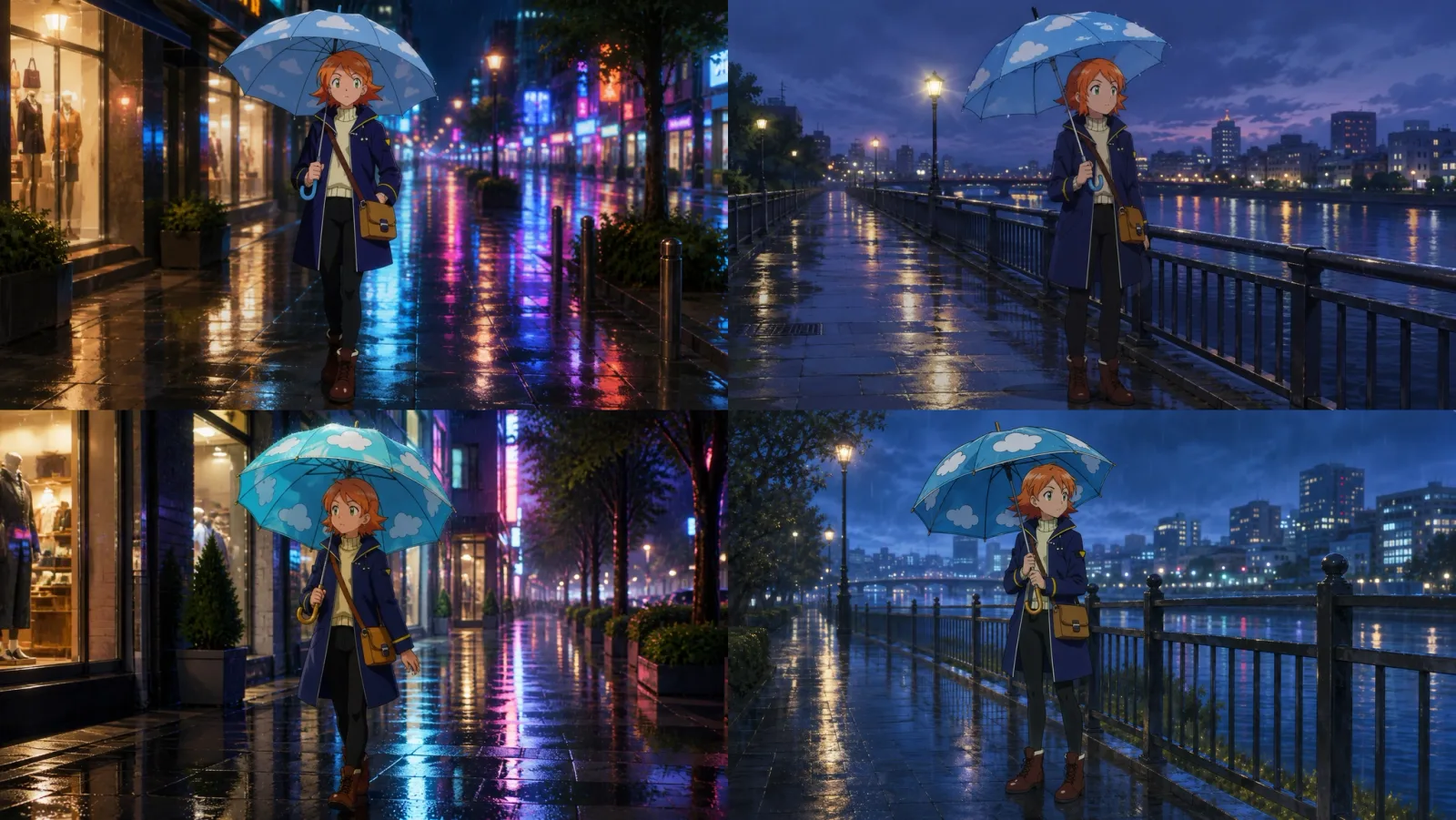
Why does the same umbrella look different every time? Before vs. after specifying prop references
How big is the difference between describing a prop in a prompt versus referencing an actual prop image? Here is a direct comparison featuring the same umbrella across two different scenes.
Team Toonkit65 views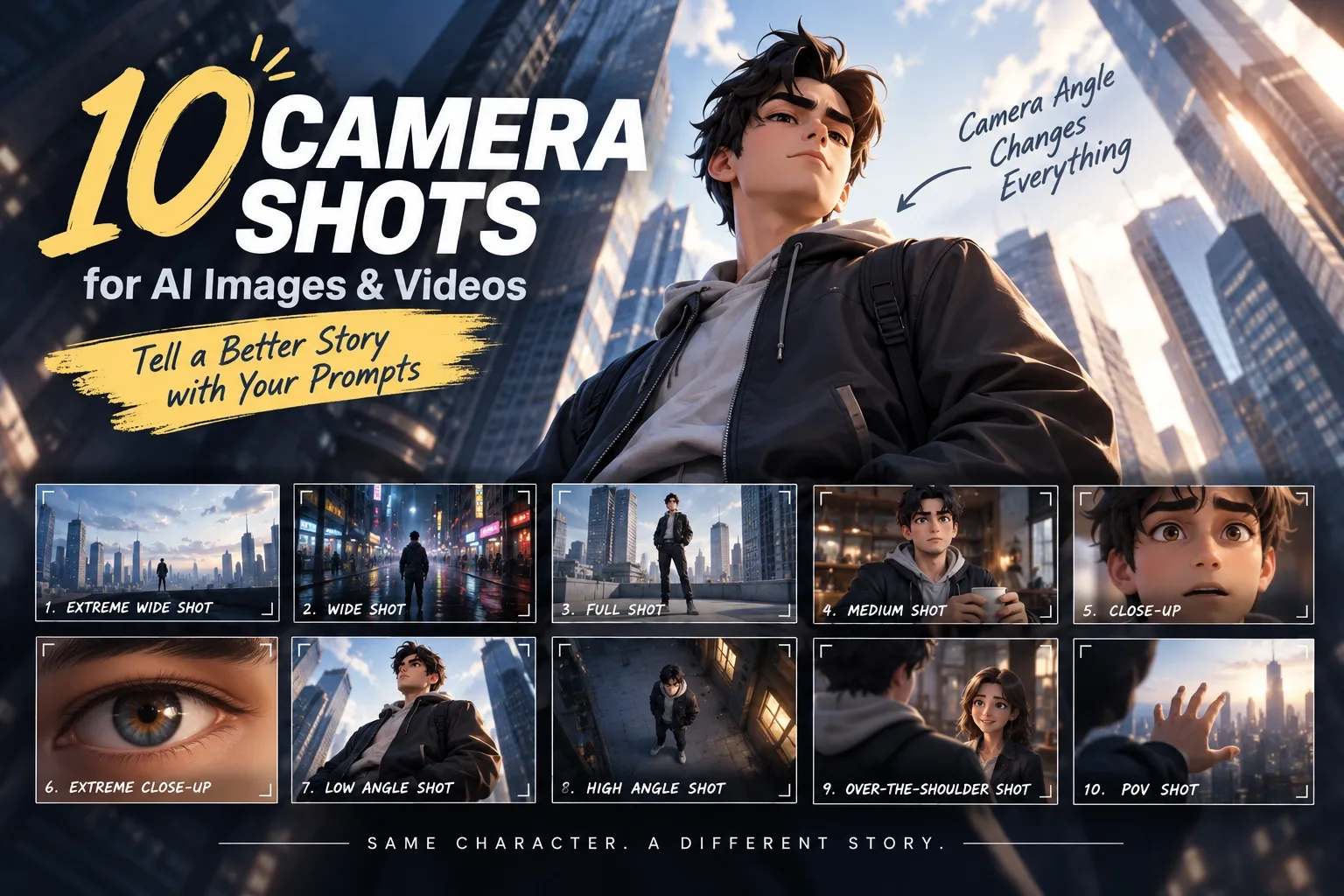
Prompt Tips for Tooners #3 - 10 Camera Shots and Angles
The same scene can look completely different depending on camera composition. From Extreme Wide Shot to POV Shot, this post introduces 10 camera shots and angles you can use directly in AI image and video prompts.
Team Toonkit44 views