Production tips
Why does the same umbrella look different every time? Before vs. after specifying prop references
 Team ToonkitViews —


When creating multiple scenes with AI, not only do the characters change, but even small props keep changing as well.
In the first scene, it might be an umbrella with a gold handle, but in the next scene, it could change to a black handle; the shape and color of a bag might differ; or the ornamentation on a weapon a character is holding might disappear.
Although props occupy a small area on screen, they are crucial elements for conveying a character's identity and the story. Especially for items that appear repeatedly across multiple shots, any change in design from scene to scene breaks the continuity of the work.
In this post, I compared the following two approaches by featuring the same umbrella in two different scenes.
- When the umbrella was described using only a prompt
- When an umbrella image was directly linked as a prop reference
A prop created for comparison
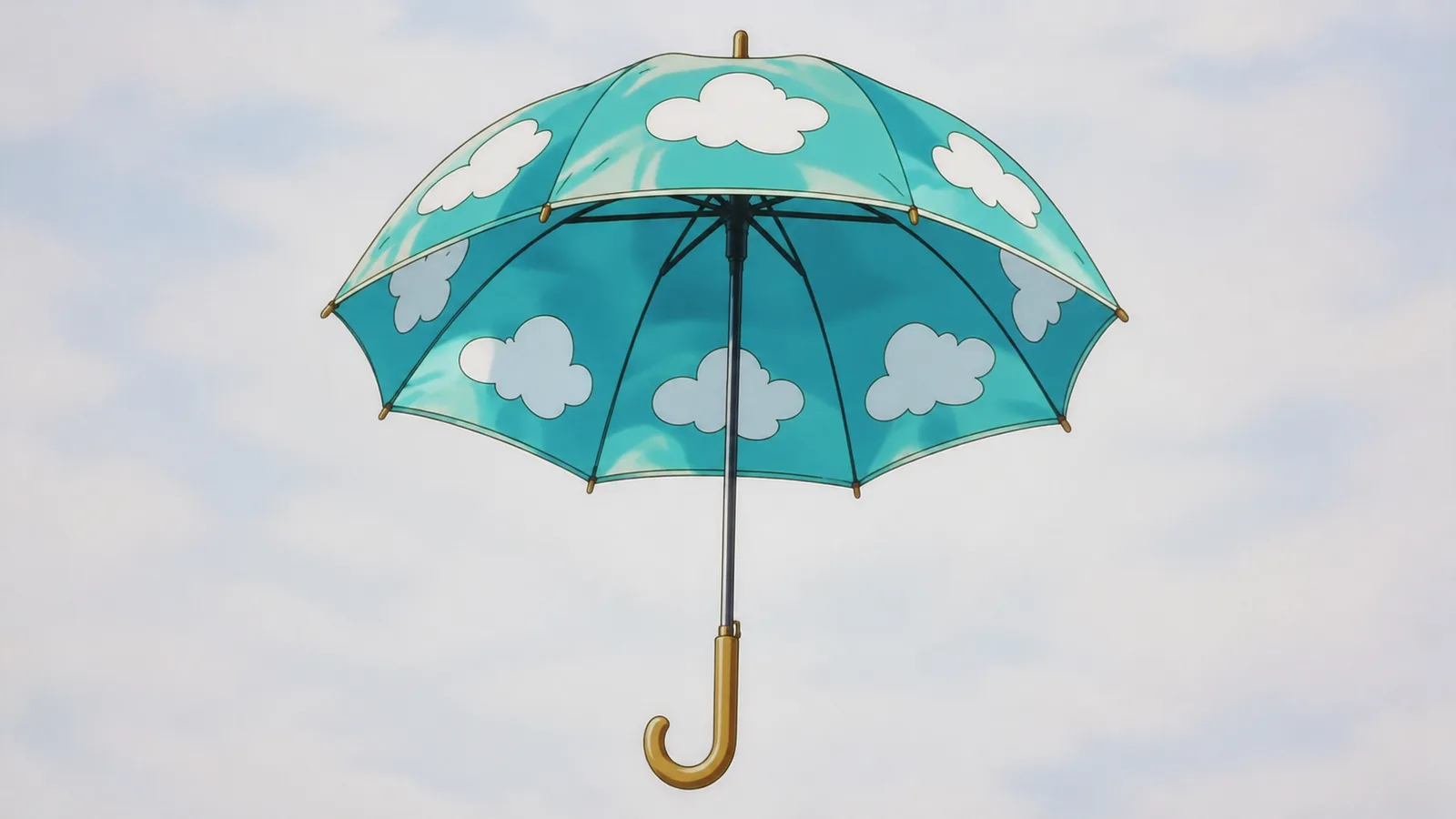
To make the differences easy to spot, I created an umbrella with distinct features.
I specified the following four characteristics for the reference umbrella:
- A transparent sky-blue 8-panel canopy
- White cloud patterns arranged on the canopy
- A gold J-shaped handle
Cel-anime prop design, exactly eight canopy panels, large white cloud decals evenly spaced across the canopy, a polished gold crescent-moon-shaped hook handle.
This design allows you to distinguish it not just by color, but also by its canopy, pattern, and handle.
Creating Two Different Scenes
I've also prepared a character using the umbrella and a background.
The character is a delivery person with short orange bob hair, wearing a navy raincoat, brown boots, and a small crossbody bag.
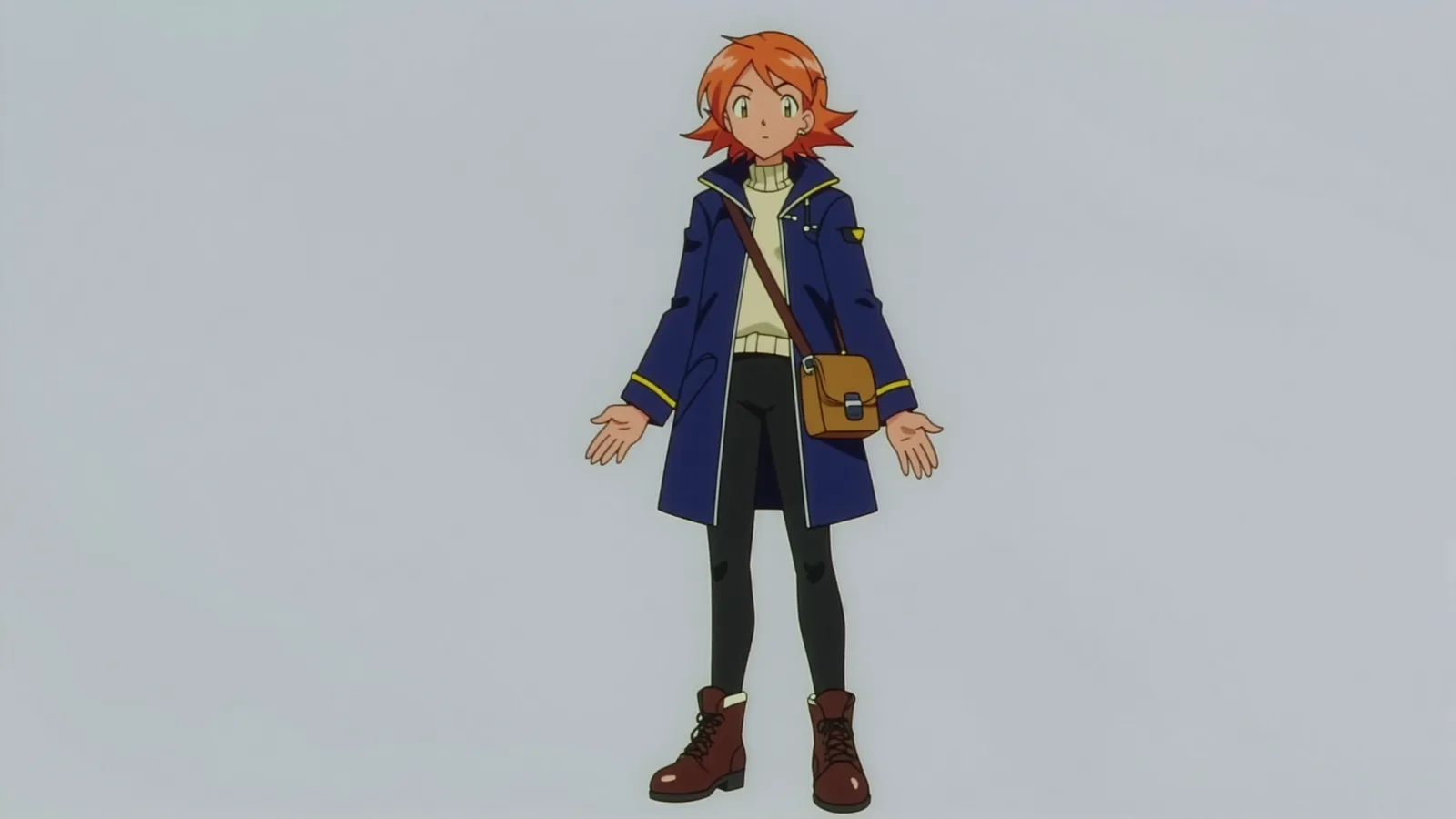
The backgrounds were divided into the following two settings:
- A neon-lit street on a rainy night
- A rain-soaked riverside bridge
This setup is designed to verify whether the same umbrella is maintained even when the background and camera angle change.
In this comparison, to focus on changes in props, I linked the character image as a reference for the "unspecified" condition and both the character and umbrella images as references for the "specified prop" condition (the background was described only in the prompt and not included as a reference). Therefore, in the results, I focused on the shape and design of the umbrella rather than the background.
Comparison 1: When no prop reference was specified
First, we linked only the character image and described the umbrella using the prompt.
She holds an open sky-blue umbrella with simple white cloud motifs above her head. The entire umbrella canopy and handle are clearly visible.
The same description—"sky-blue umbrella" and "white cloud pattern"—was used for both scenes.
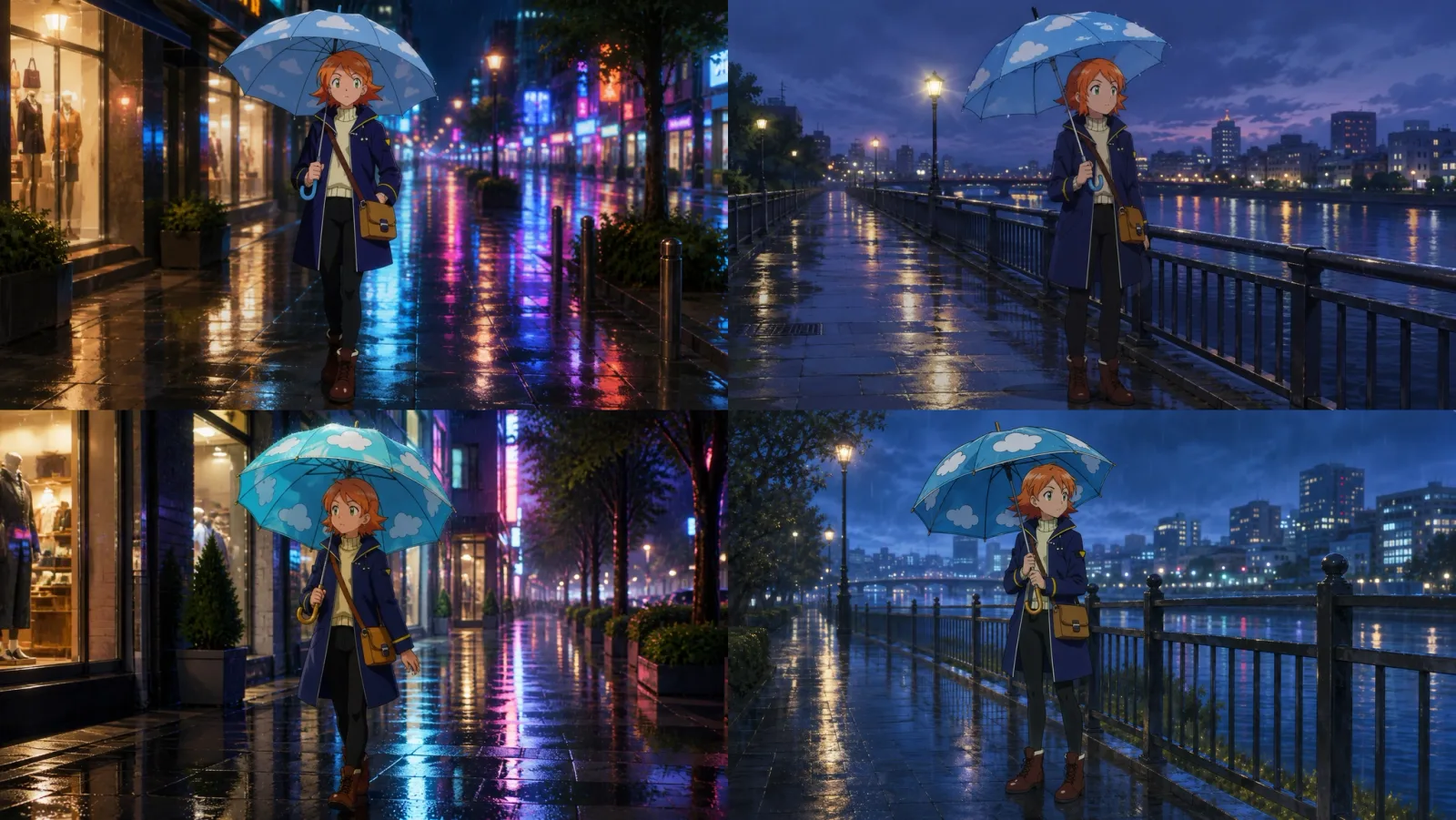
Neon Street Result
In the neon street scene, an umbrella of a similar shape was generated.
However, there were differences when compared to the reference prop.
- The position of the cloud pattern changed
- The gold handle was changed to a black handle
- The texture of the canopy changed
Results from the riverside bridge
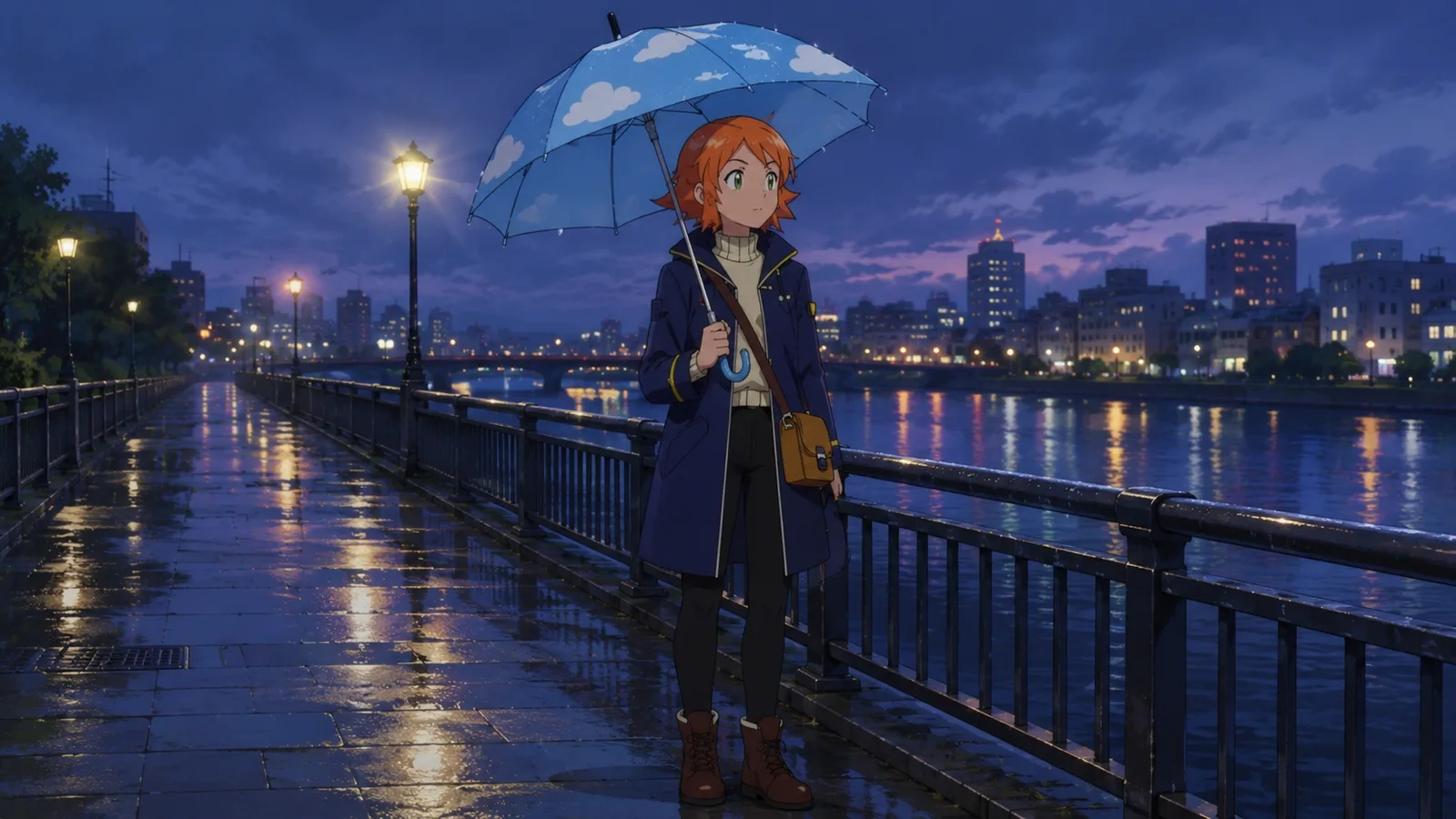
The turquoise umbrella and cloud pattern also appeared on the riverside bridge.
However, compared to the first scene, the design has changed again.
- The size and shape of the cloud patterns have changed
- The handles have been changed to shades of blue
- The texture and shape of the canopy changed
Both results retained the overarching concept of a "turquoise cloud umbrella." However, the detailed design elements that define the prop's identity—such as the handle color and the canopy's texture—differed from scene to scene.
The prompt instructed the AI on what kind of object to create, but it did not specify that the same object from the previous scene had to be recreated.
Comparison 2: When an umbrella image was designated as a prop reference
Next, I created a reference image of the umbrella as a separate prop called "Prop - Cloud Umbrella" and connected it to both image generation nodes.
The prompt specified the role of the linked prop and the characteristics that needed to be maintained.
She holds Prop - Cloud Umbrella open above her head.

Use the exact umbrella design from Prop - Cloud Umbrella, preserving the transparent turquoise six-panel canopy, three large white cloud decals, polished gold crescent-moon-shaped hook handle, and short red tassel.
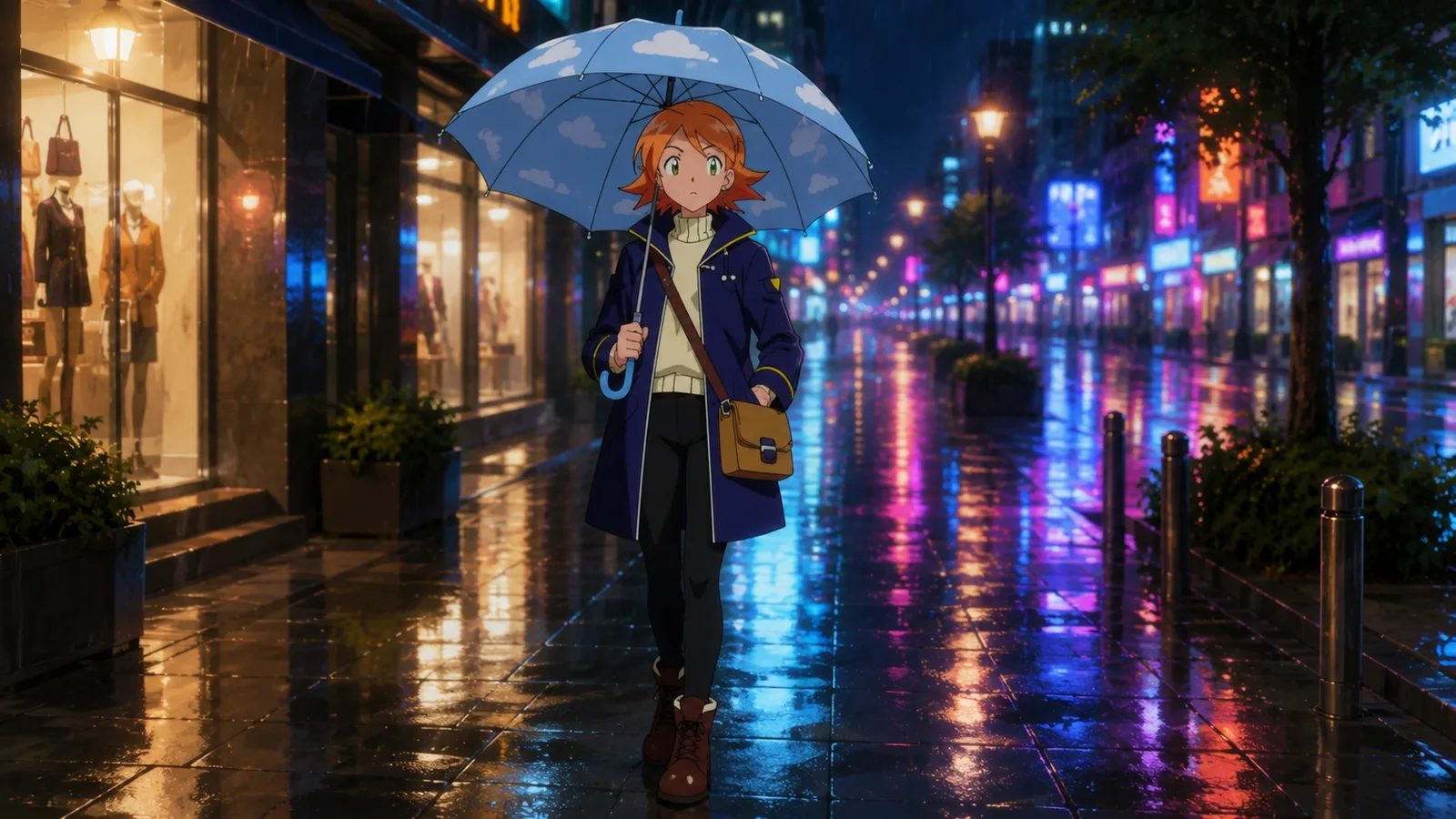
Neon Street Result
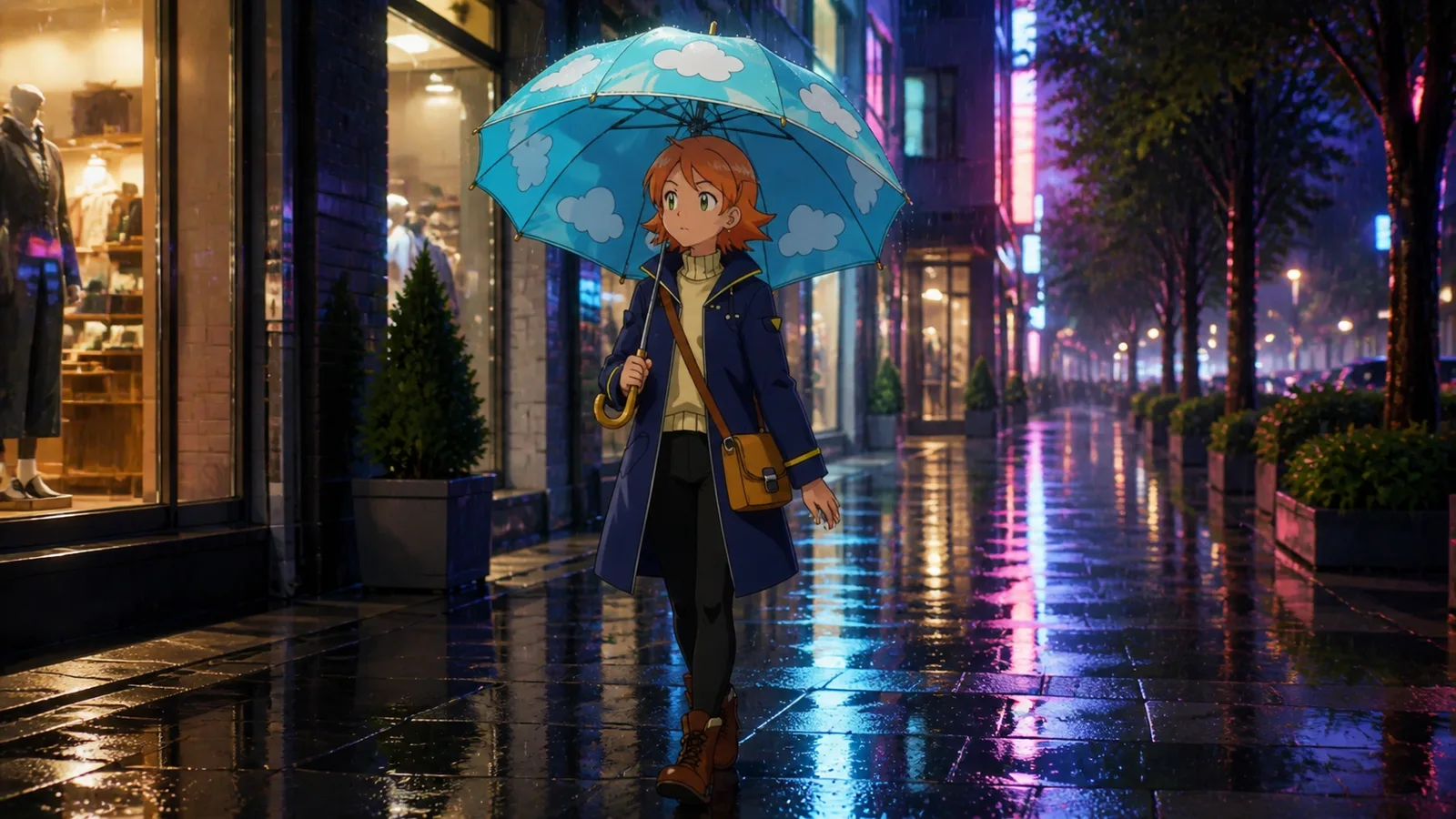
In the neon street scene where the prop was specified, the following features appeared:
- Sky-blue 8-panel canopy
- A gold, J-shaped handle
- Cloud-like shape similar to the reference umbrella
It was notable that the handle—which had turned blue in the unspecified results—returned to the gold color of the reference prop, and that the cloud shape was accurately preserved.
Riverside Bridge Results
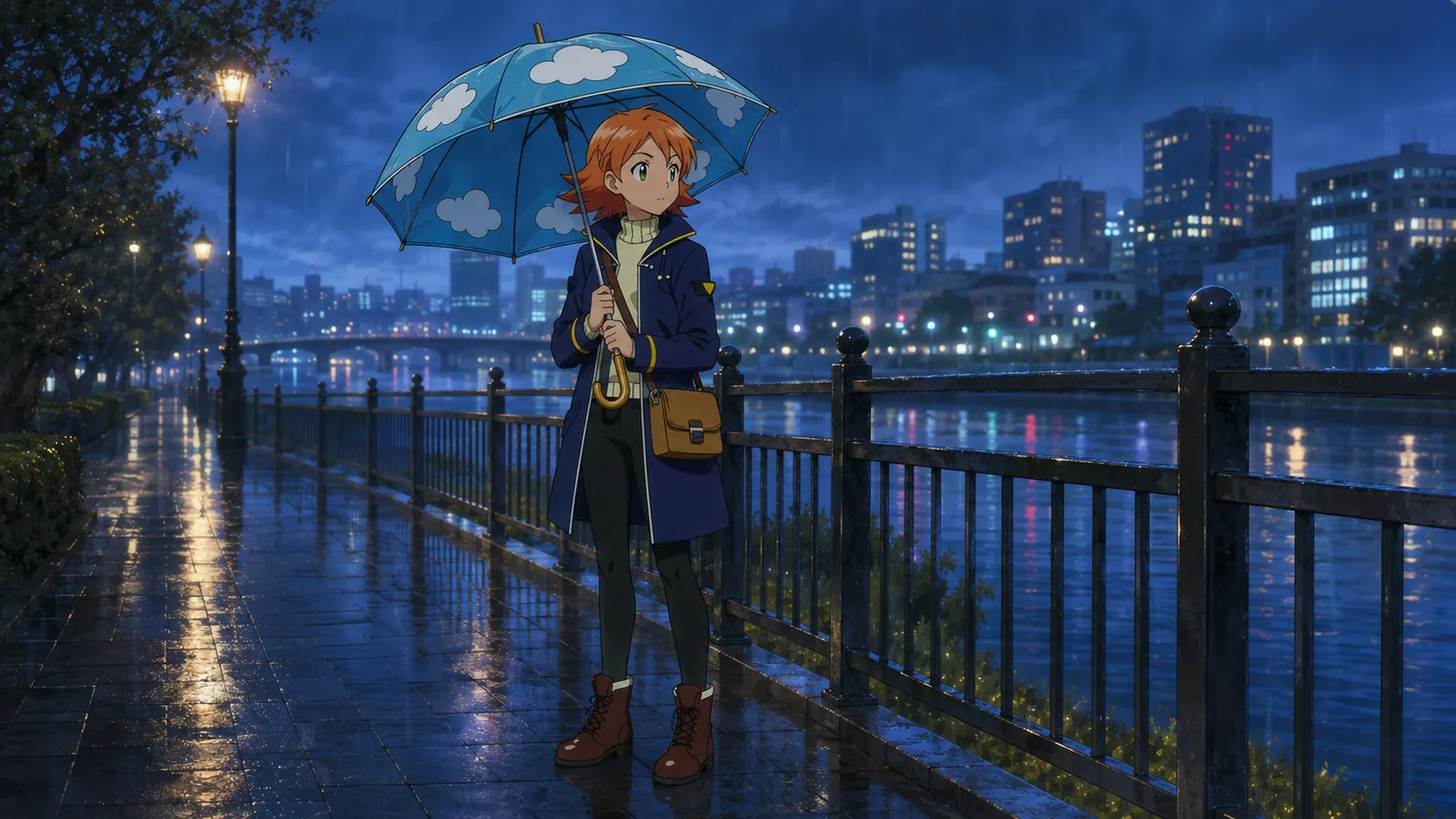
The same characteristics were repeated in the riverside bridge results.
- Sky-blue canopy similar to the Neon Street
- A rounded dome shape with similar size and proportions
- Gold crescent-shaped handle
- Cloud shapes identical to those on the reference umbrella
Although the background and the direction the figures were facing changed, the umbrella's core visual impression remained similar to that of the first scene.
To what extent was it actually preserved?
| Elements | No props specified | Props Specified |
|---|---|---|
| Sky-blue canopy | Generally maintained | Remained similar in both scenes |
| Cloud pattern | The number and arrangement vary by scene | Shape and pattern remain almost exactly the same |
| Handle | Changes to black and teal | Retains the gold J-shape |
When linking prop references, the elements that remained most consistent were color, patterns, and handle design.
What do prop references establish?
What we confirmed in this comparison is that prop references are effective at conveying an object's "core identity."
In the case of umbrellas, the following elements defined their identity:
- The signature color, sky blue
- A round, 8-panel canopy
- The gold J-shaped handle
- Cloud shapes positioned on each panel
When using only the prompt, the AI designed a "blue umbrella with cloud patterns" anew each time.
Conversely, when a reference image was provided, the AI reinterpreted "the umbrella shown in this image." As a result, even when the scene changed, the prop's signature design was repeated more consistently.
How to Maintain Props More Consistently
1. Include features that are instantly recognizable
An umbrella with a gold J-shaped handle and cloud patterns on each panel is easier to compare than a simple black umbrella.
When designing props, it's best to include one or two of the following features:
- Unique color combinations
- An easily recognizable silhouette
- Repeating logos or patterns
- Unusual handles or decorations
2. Use images that show the prop's entire shape
Images where part of the prop is cut off or obscured by other objects make it difficult to discern the prop's structure.
If possible, prepare an image showing the entire prop against a solid-color background.
3. Specify the prop's role in the prompt
Don't just attach the image; it's best to specify which image corresponds to which prop.
Prop - Cloud Umbrella is the exact umbrella held by the character.
4. Repeat key features in the prompt
Even if you have reference images, you can emphasize in text any elements that must be preserved.
Preserve the gold crescent-shaped handle and the short red tassel.
5. Check small decorative details separately
While colors and silhouettes are generally preserved well, the number of patterns and small decorative details may vary.
If the prop is crucial to the scene, check the following elements in the generated result:
- Number of patterns
- Decoration placement
- Shape of the handle
- Direction in which the character holds the prop
- Front-to-back orientation of the prop
Props Should Be Treated as Assets Just Like Characters
Items that appear repeatedly across multiple scenes are not merely background elements.
If an object holds significance in the story—such as the protagonist's weapon, a delivery bag, a magic wand, a robot's control panel, or a brand's signature product—it needs to be managed as a separate asset, just like the characters.
Instead of re-describing the same item in prompts every time, save an image of the prop and link it as a reference for the scenes where it's needed.
While this doesn't guarantee perfectly identical results, it helps maintain the color, shape, and core identity of recurring props throughout your work.
Was this article helpful?
Your feedback helps us create our next article.
More to read
View all›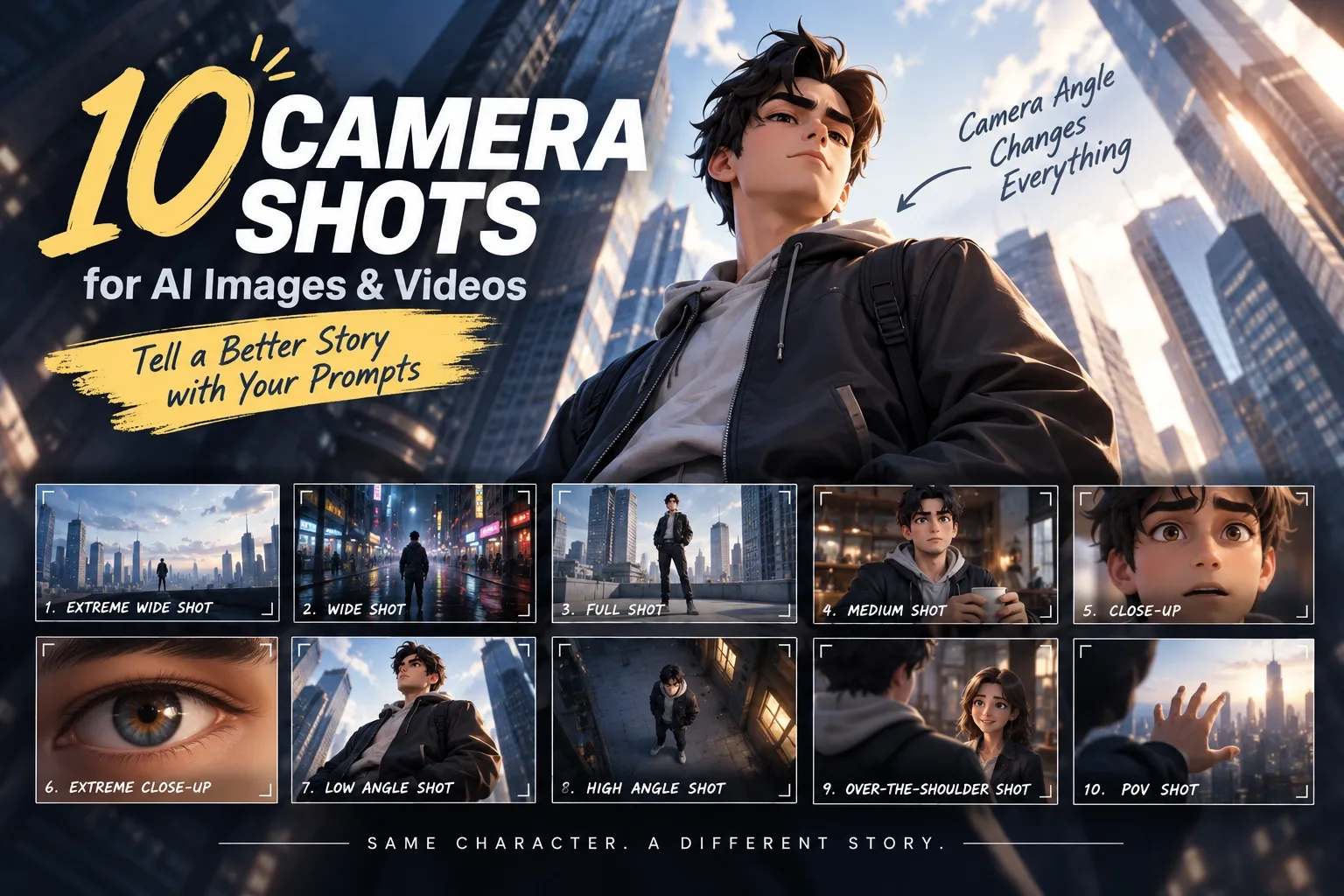
Prompt Tips for Tooners #3 - 10 Camera Shots and Angles
The same scene can look completely different depending on camera composition. From Extreme Wide Shot to POV Shot, this post introduces 10 camera shots and angles you can use directly in AI image and video prompts.
Team Toonkit
Prompt Tips for Tooners #2 - Combat Scene
A guide to writing combat-scene prompts for AI-generated animation, covering attack, dodge, counter, and camera direction through three example prompts, plus tips for using the free Magic Wand feature.
Team Toonkit
Prompt Failure Case Collection #1
Five real prompt failures from AI video production—keeping characters still, isolating camera movement, holding an animation style, prompt length, and why negative instructions often fail—and what worked instead.
Team Toonkit