Production tips
Can ToonXL Solve the Style Inconsistency Problem in AI Image Generation?
 Team ToonkitViews —


Hello, we’re the Toonkit team.
At Toonkit, we’re continuously improving our service so creators can make AI animation videos more easily and more reliably.
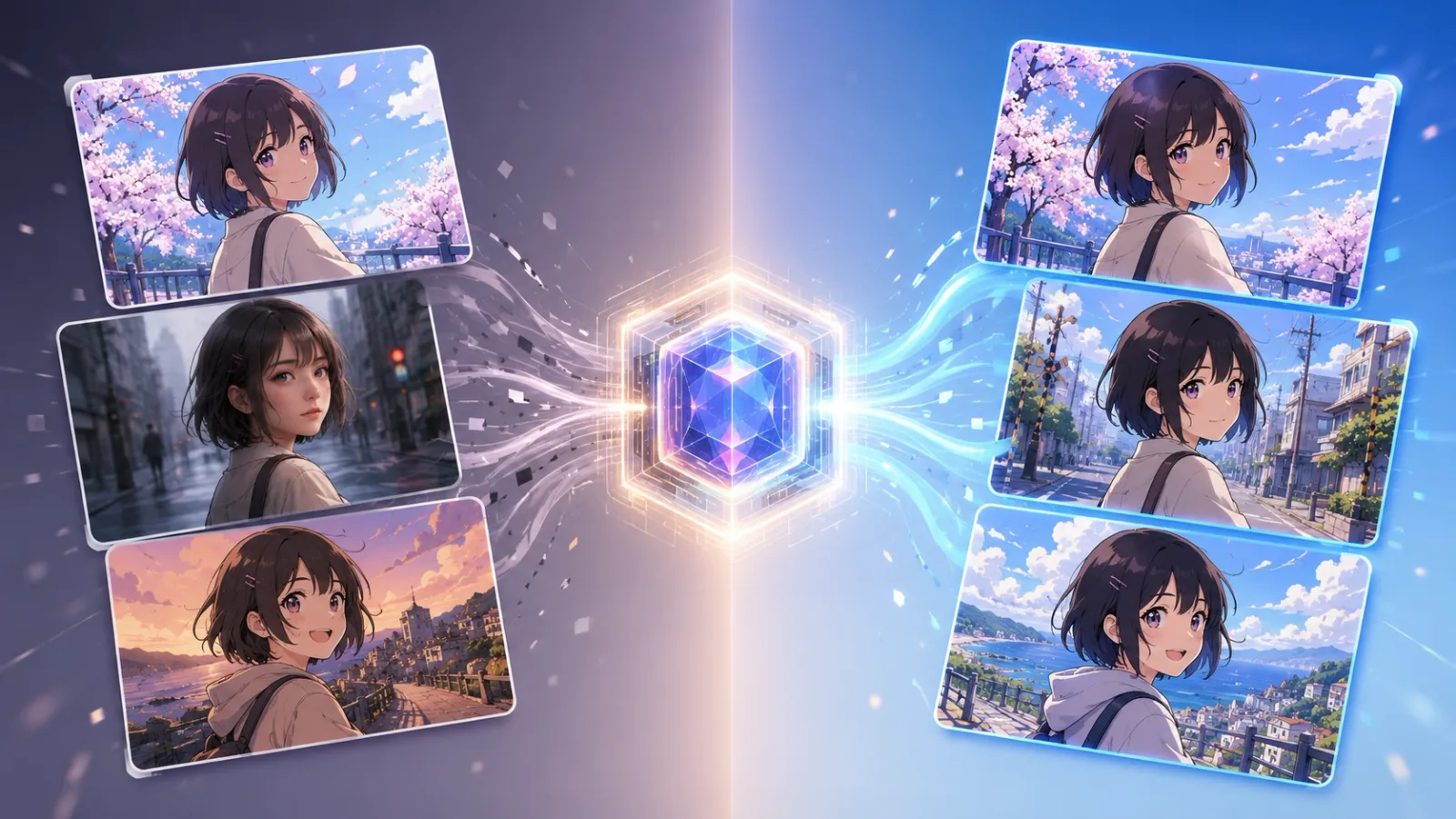
One of the most common challenges users face when creating animation videos with multiple cuts is style inconsistency. Even when images are created within the same project, the style can sometimes shift from cut to cut.
For example, one cut may have a different line style, while another may have slightly different colors or atmosphere. A single image may look great on its own, but when multiple cuts are placed together, they may not feel like they belong to the same piece.
In this article, we’ll explain why this happens and introduce how ToonXL, a model prepared by the Toonkit team, helps address this issue.
Why does the art style change from cut to cut in the same project?
When creating AI animation videos in Toonkit, users often generate multiple cut images within a single project.
For example, the first cut might show a character sitting in a classroom, the second cut might show the character running across a school field, and the third cut might show them standing on a beach at sunset.
Each cut should show a different scene, but the overall art style should still feel consistent, as if all the cuts belong to one animation.
However, when generating images with AI, this issue often appears.
The first cut may have a soft Japanese anime style,
the second cut may look slightly more realistic,
and the third cut may have a different color tone or line quality.
Even with detailed prompts, it can be difficult to perfectly match the style across every cut.
Why does this happen?
Image generation models such as GPT-image or Nano Banana are highly capable models.
They can generate a wide range of art styles, scenes, characters, and backgrounds.
A simple way to think about them is as “all-purpose illustrators” that can draw almost anything.
They can create watercolor images, realistic portraits, 3D-style visuals, fantasy scenes, and animation cuts.
They can also reproduce well-known styles such as Arcane-inspired visuals, Ghibli-like looks, or 3D Disney-style images relatively well.
However, this strength can also become a limitation.
Because these models know so many different styles, they may interpret the prompt slightly differently each time they generate a new cut.
Even if you use the same phrase, such as “anime style,” one cut may have thinner lines, another may have stronger colors, and another may show a slightly different character mood.
This issue can become even more noticeable when working with less common or more delicate styles.
For example, a specific webtoon-like line style, the color palette of an indie animation, or a particular artist’s face proportions and shading methods may be difficult for a general image generation model to follow consistently.
One image may come out close to the desired style.
But when generating multiple cuts, the style may gradually loosen or become mixed with other more familiar styles.
In other words, general image generation models are strong at creating a wide variety of images, but they can have limitations when it comes to maintaining the exact same style throughout one project.
This is where a model that can remember a specific style more deeply and keep it stable across multiple cuts becomes important.
Can prompts alone solve this problem?
The Toonkit team also designs prompts to help images maintain as much style consistency as possible across cuts.
By describing the character’s appearance, line quality, coloring method, lighting, shading, and background atmosphere in detail, it is possible to reduce style shifts to some extent.
However, prompts alone cannot always perfectly match the style of every cut.
In many cases, users may need to regenerate images multiple times until the desired style appears.
As the number of cuts increases, the number of retries also increases, which can lead to higher credit usage.
Especially when creating cut-based AI animation videos, it is not enough for one or two images to look good.
What matters more is whether multiple cuts feel like they belong to the same work.
So the important question is this:
A model that creates beautiful images is important,
but don’t we also need a model that can keep the style we want?
That is why we prepared the ToonXL model.
What problem does ToonXL solve?
ToonXL is a style-specialized model prepared by the Toonkit team to improve style consistency.
It combines a base image generation model with a LoRA trained on a specific animation style, helping the desired art style remain as stable as possible across multiple cuts.
General image generation models are strong at creating a wide range of styles, but when generating multiple cuts, the style can shift little by little.
ToonXL helps reduce this issue and makes it easier for the desired animation style to flow naturally throughout a project.
Here is a simple analogy.
If a general image generation model is like an artist who can draw in many different genres,
ToonXL is more like an animation artist who has practiced one specific art style intensively.
Of course, ToonXL is not a universal model that can do every style perfectly.
But for a specific style, it can help maintain the line quality, coloring method, color tone, character mood, and background atmosphere more consistently across cuts.
In AI animation video generation, what matters is not just creating one impressive image.
It is important that each cut feels like it belongs to the same world,
that the character looks like they exist in the same piece,
and that the background and color mood connect naturally as one video.
This is exactly where ToonXL focuses.
Rather than simply creating one more visually striking image, ToonXL aims to help multiple cuts feel connected as one cohesive work.
That is the problem we are trying to solve through our LoRA-based approach.
What is LoRA, in simple terms?
So what exactly is LoRA?
LoRA is a technology that helps a base image generation model learn an additional specific style.
To put it simply, if the base image generation model is someone who already knows how to draw,
LoRA is like a style guide that helps that person practice a specific artist’s look or a specific animation style.
The base model still handles the image generation itself.
When LoRA is added, the model can better remember and reflect the lines, colors, textures, and overall mood of a specific style.
How can we keep the style consistent during cut generation?
In Toonkit, a cut image is completed by combining a character and a background.
When a user selects a character and a background, then requests cut generation, Toonkit creates the final cut image using the image generation model selected by the user.
As explained earlier, general image generation models are strong at expressing many different styles, but they may struggle to keep the same art style stable across multiple cuts.
However, if ToonXL is selected when generating the character and background, the final completed cut is more likely to maintain the desired style.
Tell us what style you want
The Toonkit team will continue adding styles to ToonXL that users enjoy and can use with satisfaction in real projects.
If there is a style, image, or artwork that you would like to use for animation cuts, please leave a link in the comments where we can check it.
Our research team will review the submitted styles and see whether they can be created as ToonXL models.
Our goal is not simply to provide well-known styles.
We want to build styles together with the creators who use Toonkit, based on what they actually need in their work.
Closing
GPT-image and Nano Banana are excellent general image generation models that can quickly create a wide variety of images.
However, when creating animation videos with multiple cuts, style consistency becomes an important challenge.
ToonXL is Toonkit’s style-specialized model, designed to maintain specific animation styles more reliably.
It is not a model that can do every style perfectly, but when the desired style is already clear, it can help create more consistent results.
In the next article, we’ll share how the ToonXL model is built and how the Toonkit team prepares models to improve style consistency.
Was this article helpful?
Your feedback helps us create our next article.
More to read
View all ›
Keeping Dozens of Nodes and Connections Organized
Behind the design of Toonkit's new Node Canvas: how we structured cards into header, content, and toolbar sections, color-coded connections by data type, and hid controls until needed to keep dozens of nodes easy to scan.
Team Toonkit42 views
Why We Chose Dark Mode and Green
Making generated content the center of attention through a new visual identity.
Team Toonkit58 views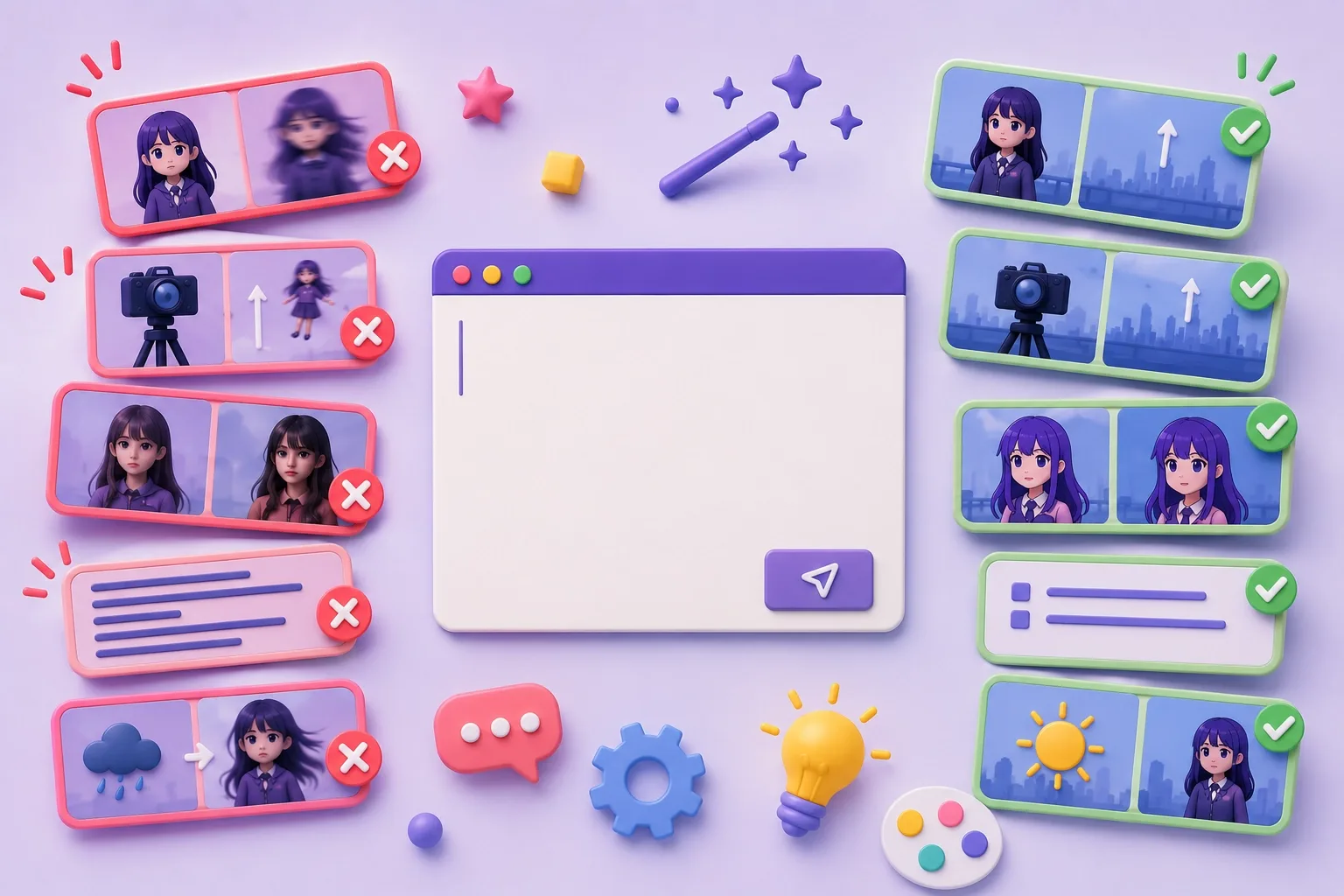
Prompt Failure Case Collection #1
Five real prompt failures from AI video production—keeping characters still, isolating camera movement, holding an animation style, prompt length, and why negative instructions often fail—and what worked instead.
Team Toonkit95 views