Create a trailer for your anime

Create an AI anime trailer that introduces your world through its most memorable moments. Plan character reveals, dramatic scenes and a closing title in Toonkit, then generate shots that fit your concept. Adjust the order and length of clips and add music in the editor to shape a teaser that invites viewers into your story.

Key benefits

A clear hook

Choose the emotion and question that should linger after the opening. Use the first storyboard shot to introduce a setting or action that establishes the mood. Choose information that invites the next scene instead of explaining the entire plot.

Your world in a few shots

Introduce characters and settings with visuals made for your project. Prepare reference images for the main character and recurring locations. Mix wide shots with close-ups while checking that character appearance and style remain connected.

An edit you can refine

Adjust shot order and pace to shape your announcement. Adjust video sections and the audio starting point directly in the editor. Alternate short and longer shots to shape tension and leave enough time to read the final title.

Build a thirty-second introduction

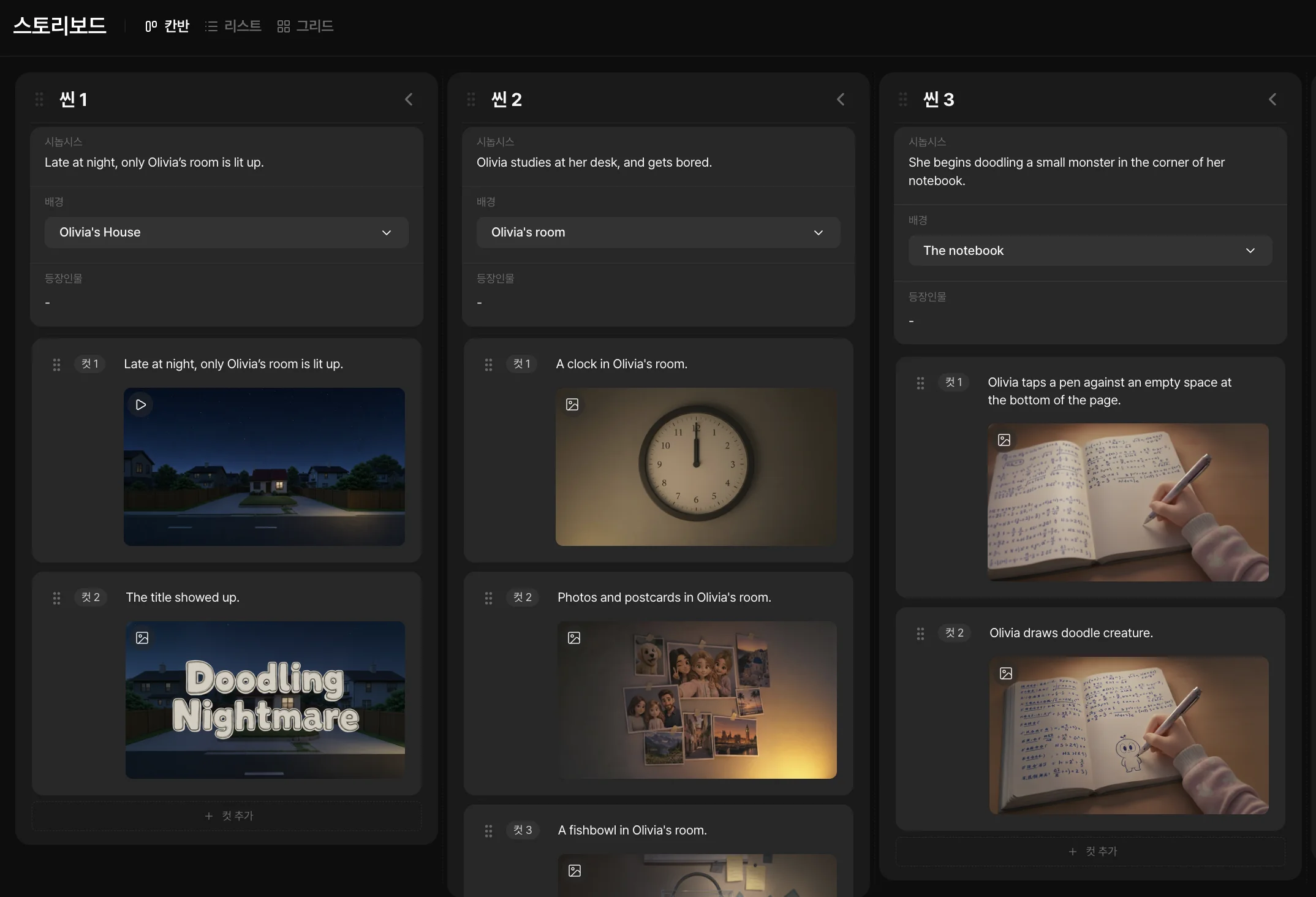
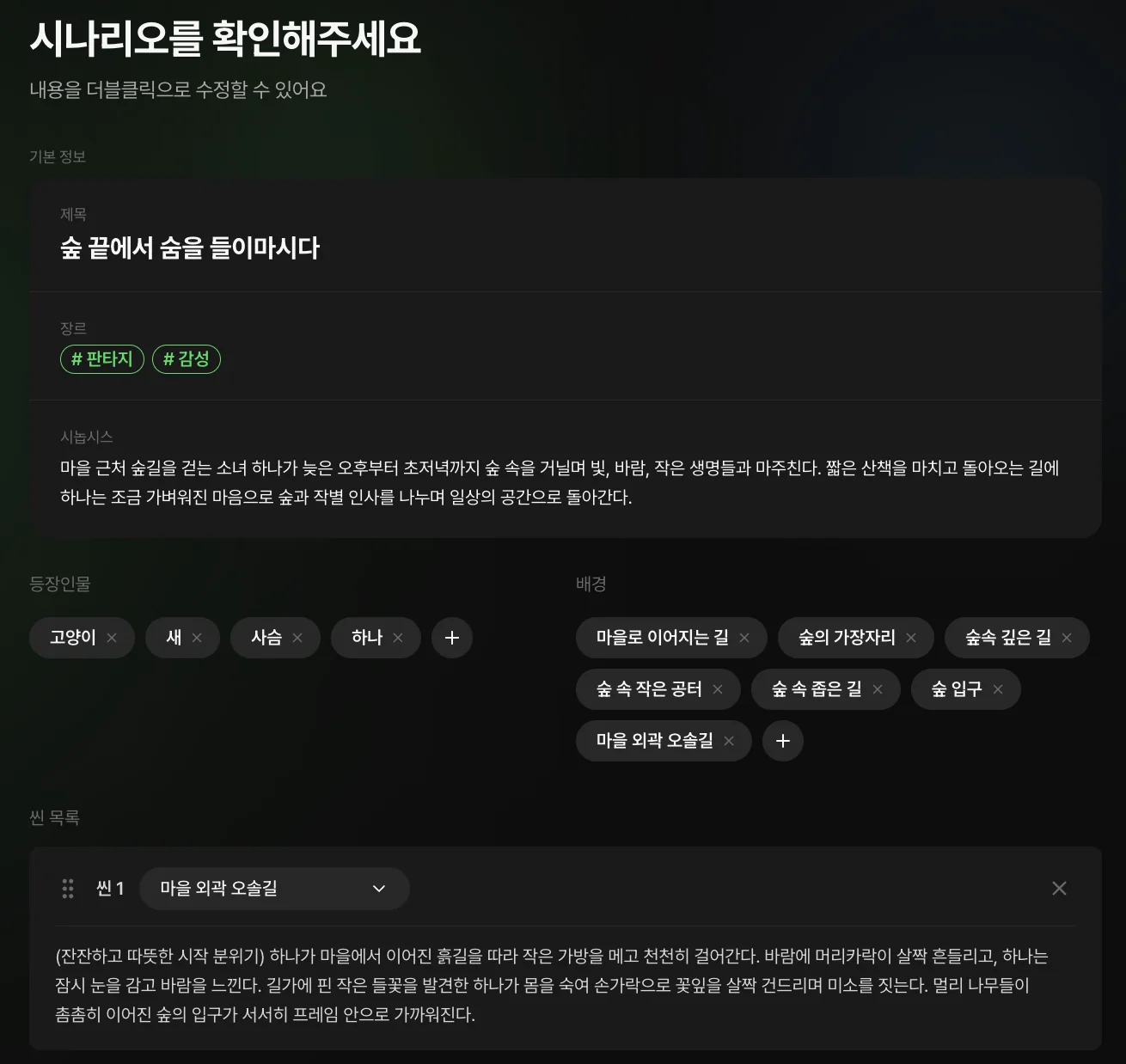
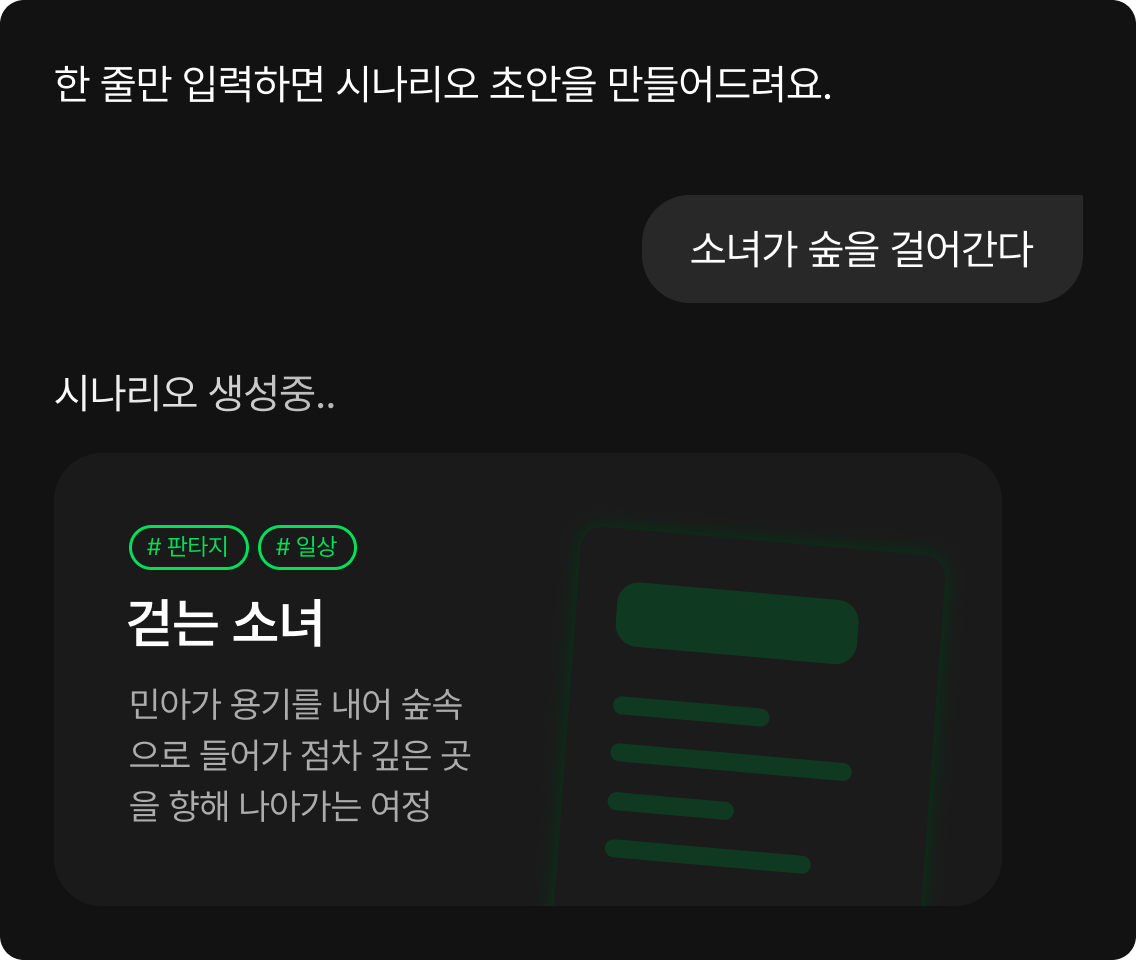
For a first draft, divide the time between a hook, character introduction, stakes and closing image. This is a storytelling choice, not a generation limit. Place a scene for each part in Toonkit’s storyboard and generate the required clips separately. Set the finished duration when editing the shots you choose to keep.

A 30-second trailer plan: hook, character, stakes and closing image.

Choose images that introduce your world

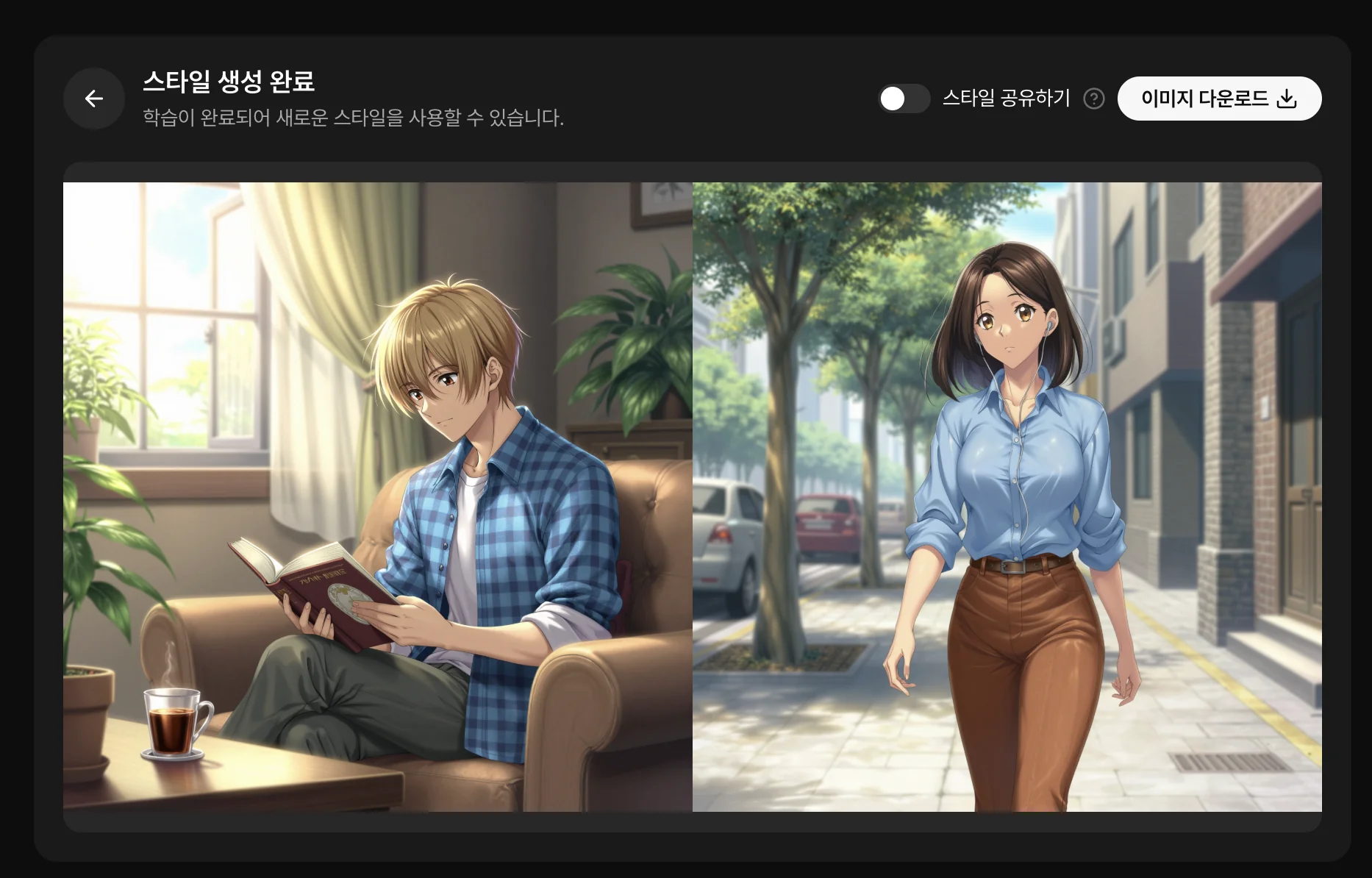
Prepare references for your hero and locations. A wide shot, close-up and clear action can establish the trailer’s identity. Reuse character references while describing a distinct composition and movement for each shot. Prepare the moments viewers need to see without producing an entire episode first.

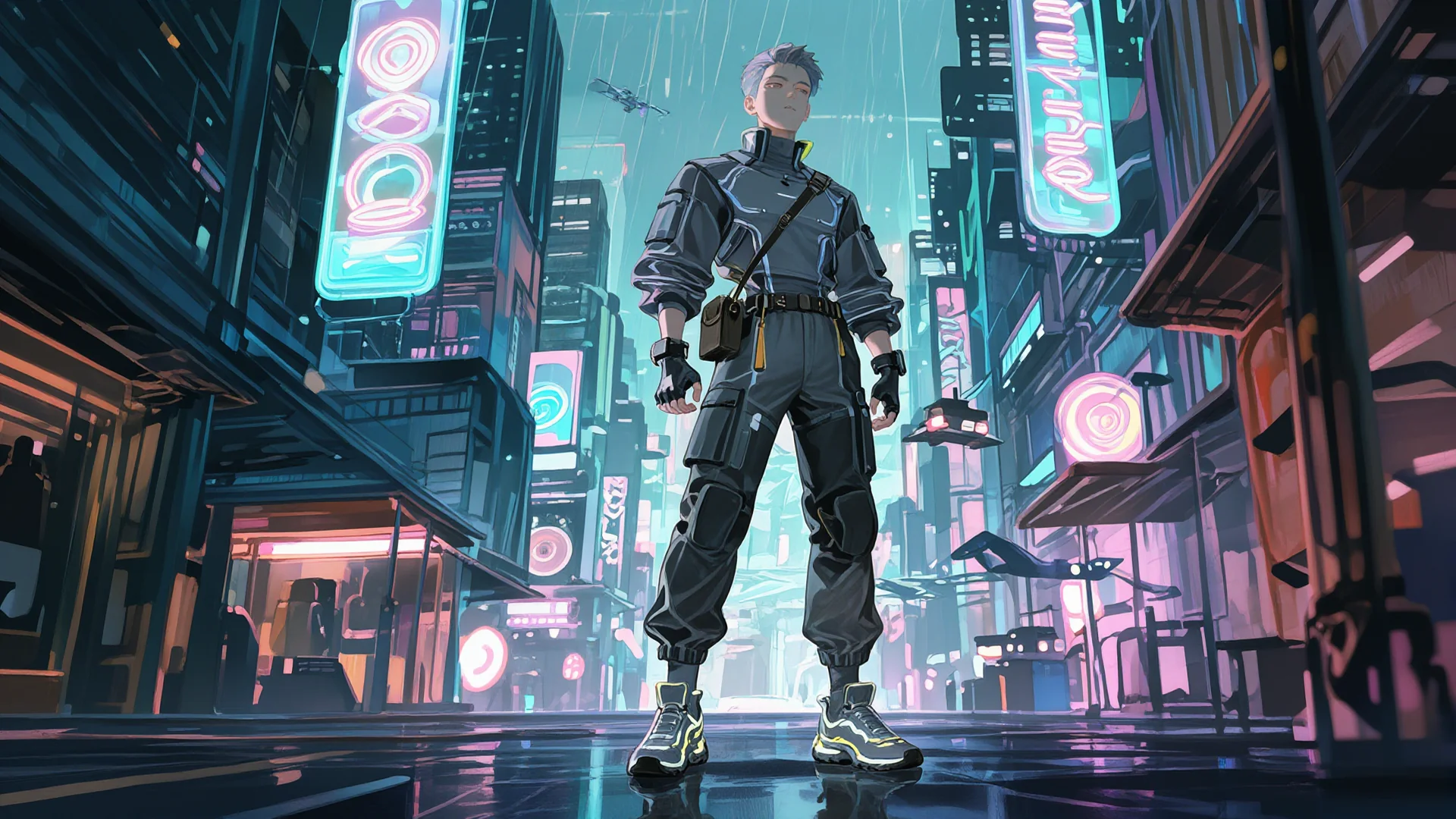
Choose your framing
An anime scene used to plan framing

Generate the shots your trailer needs

Describe one intention per shot and select takes that serve the hook. Start from your script or images already prepared for the project. Check the selected model’s durations and aspect ratios, then compare the face, setting and action in the results. Remove redundant shots or replace them with a different viewpoint during editing.

Prepare your shots
Generating the trailer’s storyboard shots

Set the pace around your soundtrack

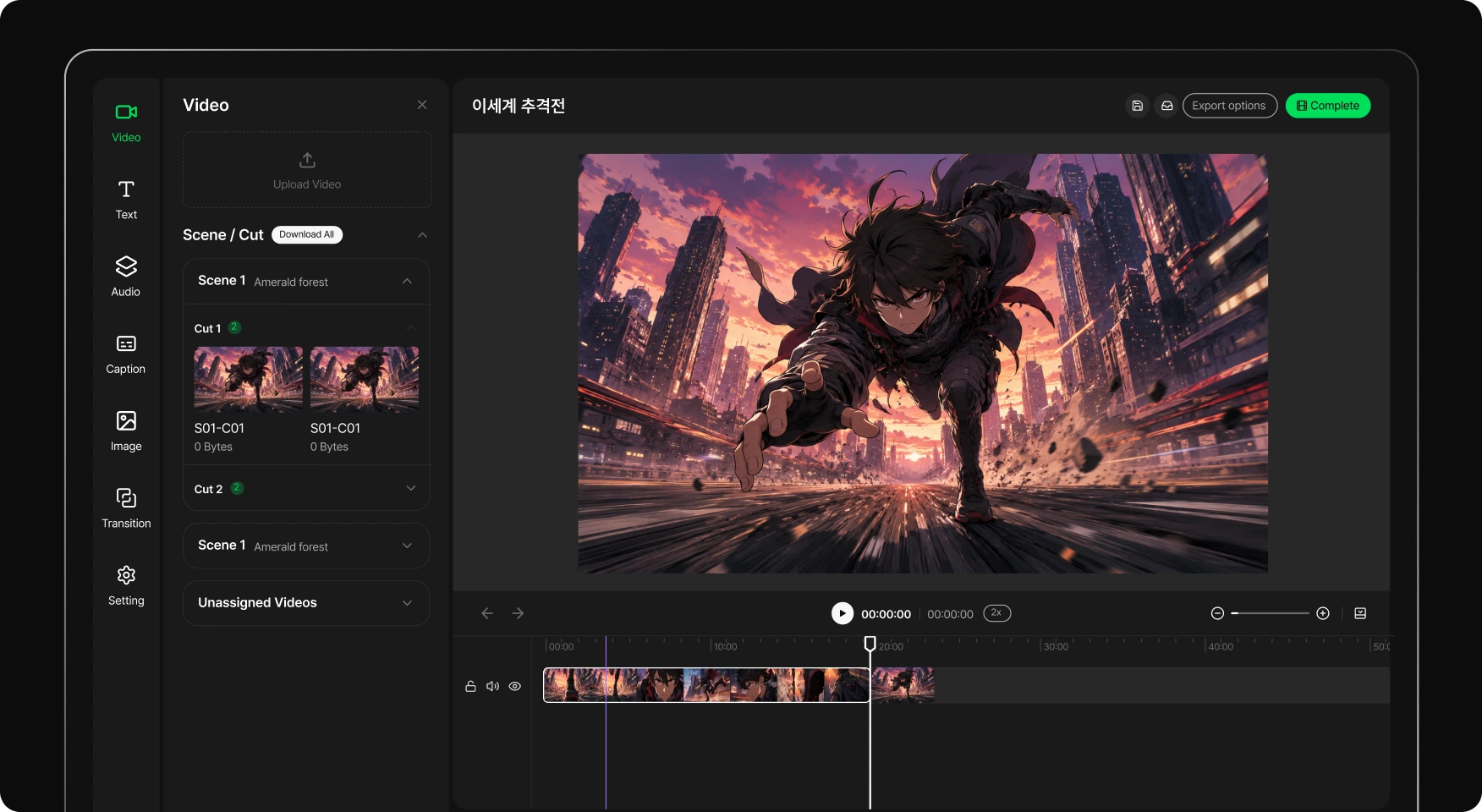
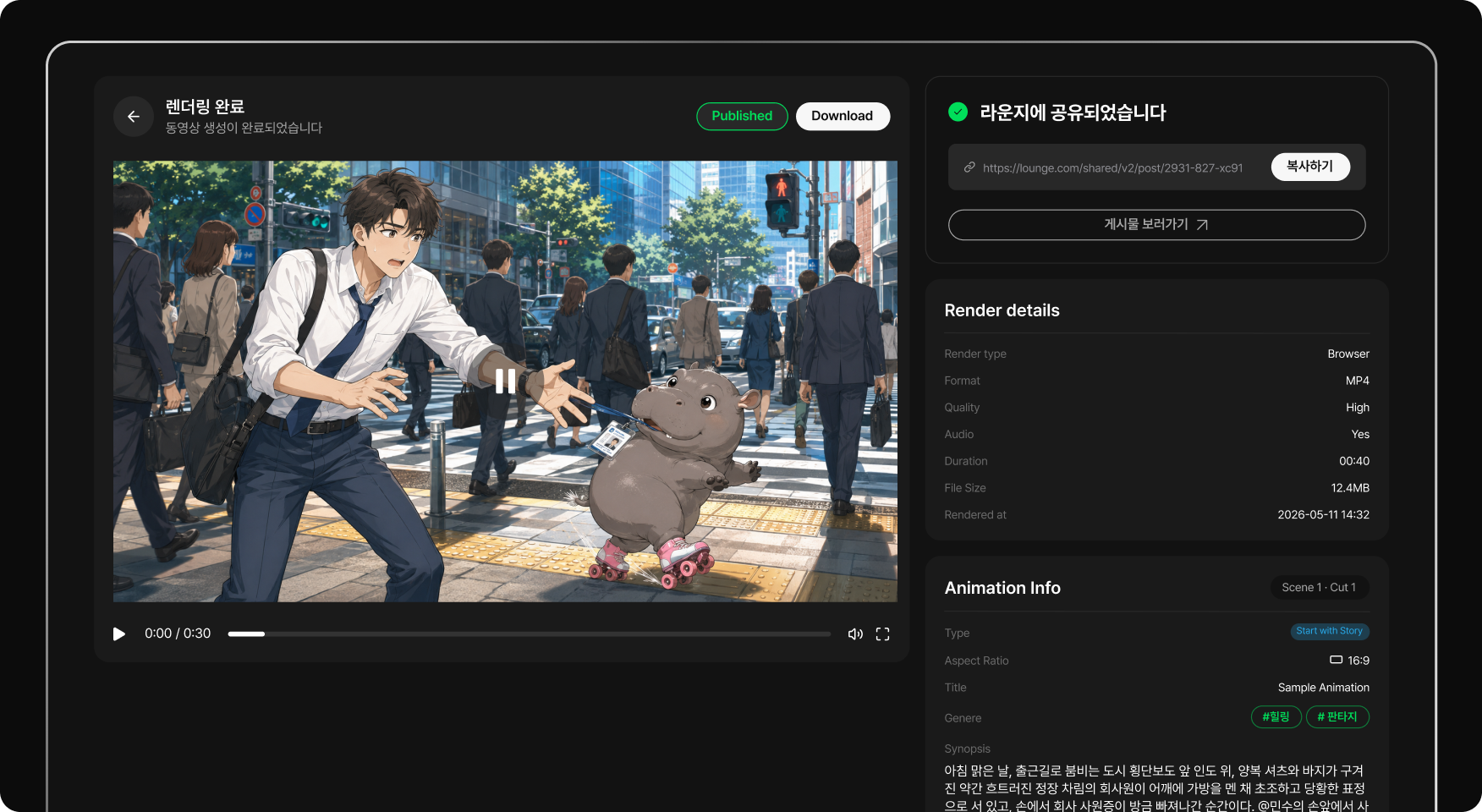
Assemble takes and adjust cuts to your music. Check the title, duration and delivery format before exporting. Play video and music together on the timeline and adjust transitions yourself. Check the musical changes and final title’s screen time to refine the trailer’s ending.

Adjusting video and audio in the editor

From a hook to an anime trailer

  1. Writing the trailer concept
    01

    Write the promise

    Define the world, character and question your trailer leaves open. Choose the character and question viewers should remember and outline the opening through the final image. Define each shot’s purpose without revealing the complete ending.

  2. Planning key shots in the storyboard
    02

    Prepare key shots

    Build the storyboard and generate the required images and videos. Prepare character and location references and describe the movement in each planned shot. Compare generated results and choose the clips that connect with the opening’s mood.

  3. Exporting the edited trailer
    03

    Edit your trailer

    Adjust cuts, audio and the ending, then export. Adjust video sections and the music’s starting position in the editor. Preview the publishing format to check that titles and key characters remain easy to see.

Frequently asked questions

Can I make a teaser before finishing my anime?
Yes. Create shots to introduce the project, and make clear when they are a concept preview for an unfinished film or series.
Does a trailer have to be thirty seconds?
No. Thirty seconds is a short-format example. Choose the duration for your message and channel, then divide it into shots.
Can I start from an original manga or novel?
Prepare a synopsis and visual references from your work, then use them to plan the trailer’s shots.
Can I reuse existing characters?
Yes. Gather their references, use them with a compatible model and check their appearance in selected takes.
Do cuts automatically sync to the music?
This workflow imports your music and adjusts shots in the editor. It does not rely on automatic beat synchronization.
How do I adapt the trailer for social media?
Prepare framing and format for the channel. Check that faces, text and essential information remain readable.

Show the first glimpse of your anime.

A strong idea, a few shots and a trailer that feels like your world.

ToonkitToonkit

© 2026 Toonkit. All rights reserved.

Innerverz Inc. | CEO : Junghyuk Im | Business Registration : 615-88-01959 | Mail-order Sales Registration : 2023-Daejeon Yuseong-1774

Address : 3212, 13-8, Eungubinnam-ro 33beon-gil, Yuseong-gu, Daejeon, Korea | Tel : 070-4102-3345 | CS : cs@toonkit.io